
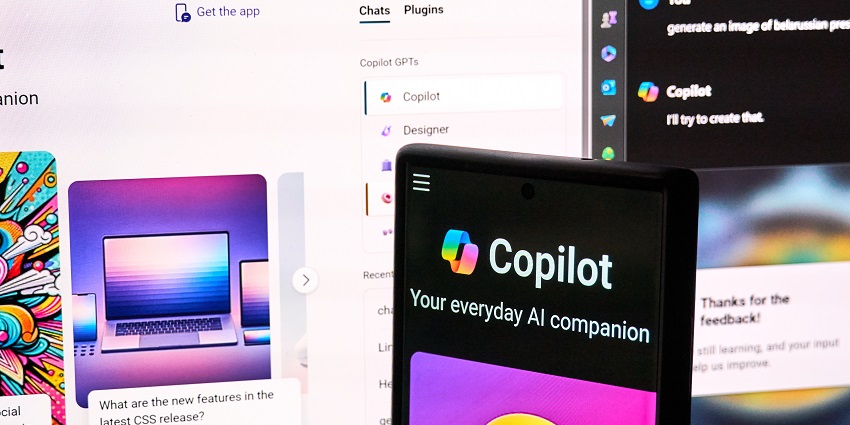
Microsoft Team Copilot could forever change our relationship with AI assistants. Not to be confused with “Microsoft Teams Copilot” (specifically designed for the Microsoft Teams app), this new feature gives organizations an AI colleague to work with on a range of tasks.
According to the tech giant, Team Copilot will expand the functionality of the Copilot AI assistant, giving users a synthesized employee who can act on behalf of an individual, team, department, or company. This new feature seems to be part of Microsoft’s evolving strategy to change the way human beings and AI work together in the new age of work.
Like its competitors in the Generative AI race, Microsoft wants to find more ways to help people leverage AI to be more productive, collaborative, and creative. This means transforming AI from a simple “tool” in the average office into something that can complement and augment teams.
What is Microsoft Team Copilot?
Microsoft Team Copilot is a new solution introduced by Microsoft at the Build 2024 conference, alongside a slew of updates to other AI tools and apps (like Microsoft Teams). It’s essentially a bot that can act as a team member within your organization, collaborating alongside other staff members as they engage in meetings, take notes, and more.
Although Microsoft Team Copilot will be available in Microsoft Teams, alongside Planner, Microsoft Loop, and other apps, it’s not the same as the “Teams” copilot. Microsoft Teams Copilot works exclusively within Microsoft Teams chat and phone calls, creating content, summarizing meetings, and helping users track down information.
The Microsoft Team Copilot, on the other hand, works with employees in various Microsoft 365 applications. It can collaborate with staff members, help manage projects, and even facilitate agenda creation and note-taking in meetings.
If you’re concerned about embracing an AI bot as a colleague, Microsoft also noted that human beings will retain full control over their AI experience. You’ll be able to choose exactly what the Team copilot does for you and override the choices it makes.
Microsoft Team Copilot vs Google AI Teammate
If Microsoft’s new Team Copilot sounds familiar, you’re not having Deja-Vu. Recently, there’s been a lot of new announcements from companies competing in the generative AI landscape. In particular, Google drew significant attention to its Gemini upgrades and new AI capabilities coming to its apps at this year’s Google I/O event.
During the event, Google introduced “AI Teammate” for Workspace, which looks pretty similar to Microsoft’s new Team Copilot solution. It’s basically an AI bot with its own Workspace account that can actively participate in collaborative tasks. This app will integrate with Gmail, Docs, and Google Chat and help companies assign tasks, manage meetings, and more.
Although Google hasn’t revealed much information about this new feature yet, it seems like it's taking the same approach to revolutionizing AI in the workplace as Microsoft. There’s a good chance the two competing solutions will have very similar features.
What Can Microsoft Team Copilot Do?
So, what exactly can Microsoft Team Copilot do? Well, since it’s yet to be released, it’s difficult to give you a full rundown of the potential features. In their Copilot-focused announcement blog, Microsoft said Team Copilot will be able to act in a range of roles within the digital workplace.
Primarily, the tech giant drew attention to the solution’s ability to facilitate meetings by creating agendas, taking notes, and basically “sitting in” on your hybrid conversations. Additionally, Microsoft says the tool will help surface important information during collaborative sessions, address issues, track action items, and even create and assign tasks to staff based on their skills.
Based on the Microsoft Build announcement and demonstration, here are some of the key things Team Copilot should be able to do:
Summarize Meetings in Microsoft Teams
For a while now, the Copilot, specifically designed for Microsoft Teams, has been able to summarize meetings and share recaps (with action items) with team members.
However, Team Copilot will build on this functionality, essentially acting as a note-taker during conversations, highlighting action points, and more. Plus, anyone in your team will be able to edit Copilot’s notes, and use them to assign specific tasks to employees.
Create and Assign Tasks
Microsoft says that Team Copilot will be able to suggest post-discussion activities based on the topics covered in your meeting, such as follow-up tasks. It can also create tasks and assign them to team members, integrating with tools like Microsoft Planner.
You’ll also be able to assign tasks to your Copilot colleague, asking it to follow up with a staff member after a certain time or create a new meeting agenda.
Keep Meetings and Chats Flowing Smoothly
If, like many organizations today, you have trouble keeping your meetings flowing smoothly (without too many disruptions and tangents), Microsoft Team Copilot can help. Working as a “meeting facilitator,” the app can track time and help moderate conversations. It can even design agendas for meetings based on your specific needs.


