
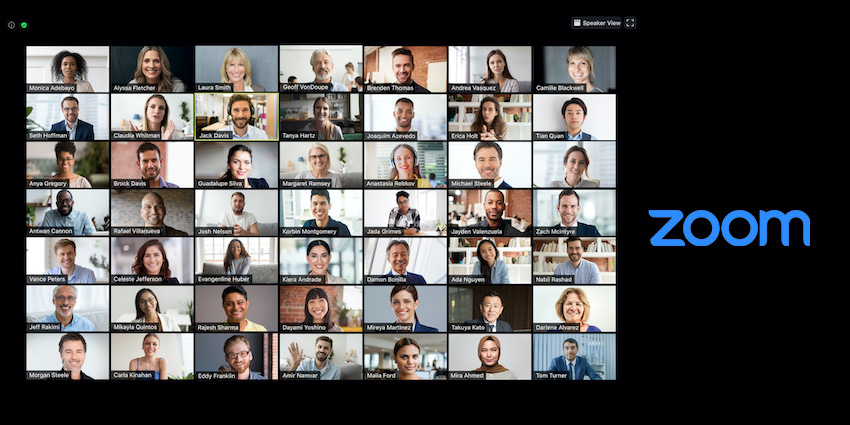
At a time when hybrid work seems to be the new normal for so many organizations, we need new tools that can help us adapt. One of the critical enablers of hybrid work is an equitable and inclusive meeting experience, which accommodates participants from every location, and provides everyone with a similar experience. Last year, video conferencing giant, Zoom leaped forward in making this vision a reality – with the launch of Zoom Smart Gallery.
What Is Zoom Smart Gallery?
Smart Gallery is a 2021-launched Zoom feature that allows meeting participants sitting in the same office location or conference room to appear in a gallery view, just as if they were sitting in different remote locations.
You can think of Zoom Smart Gallery as the opposite of Zoom's Immersive View. In Immersive View, participants from different locations are superimposed into a virtual location such as a gallery, a coffee shop, or a boardroom background. The experience appears to be seamlessly stitched together, and there is no jar between the participants and the virtual background.
Zoom Smart Gallery is precisely the opposite – as it makes individuals in the same location appear in a gallery view, instead of their natural office or board room environment. For example, if there are six people in the office, the Smart Gallery will have a 3x2 grid, showing each participant in one of the six boxes of the grid. The company launched Smart Gallery view in July 2021 to work with the Zoom Rooms offering.
What Are the Benefits of Zoom Smart Gallery?
The feature is purpose-built for hybrid meetings, where some participants will join in together from an office while others will be remote or WFH. Regardless of where they are, all meeting participants will be presented in a grid format. This has several benefits:
● Everyone gets an equitable experience - In a conventional hybrid meeting setup, it is obvious who is in office and who is not. WFH employees may feel self-conscious that they are unable to, or they choose not to turn up at the office, despite having every right. This reduces the level of psychological comfort and may discourage meeting participation. In contrast, Zoom Smart Gallery puts everyone on the same playing field.
● WFH employees can easily focus on the active speaker - A camera cannot capture the meeting room environment the same way as the human eye. As a result, WFH employees will see participants emphasized more than others and may not always be able to focus on the active speaker. Zoom Smart Gallery places everyone on a grid so that all participants gain from the same digital real estate.
● Multiple offices can join simultaneously - Zoom Smart Gallery isn't just limited to one office meeting space and several WFH workers. It can accommodate video streams from up to three meeting rooms, unifying multiple in-person and remote locations. For example, suppose five employees are joining in from the office headquarters, two employees from the new store, and the accountant logging in from their home. In that case, Zoom Smart Gallery will display all of them in a grid interface for an intuitive and frictionless conversation.
How Does Zoom Smart Gallery Work?
Smart Gallery is a Zoom Rooms feature that relies on the video conferencing platform's powerful artificial intelligence and cutting-edge hardware by Zoom's camera and equipment partners. For example, you can access Zoom Rooms Smart Gallery with Poly Studio X30, among other devices.
Once you have compatible hardware, the feature requires an optimized meeting room layout. Depending on the layout, the camera will capture all the meeting participants together individually to create a seamless experience. It combines the hardware appliance's physical or logical camera with a virtual camera that will actively identify a meeting participant and extract their specific video feed.


