
As digital communications governance standards and data security mandates evolve, solutions like Zoho Vault are becoming increasingly valuable to businesses. More than just a secure password manager, Zoho Vault offers a host of great features that are ideal for both personal and enterprise use.
You can use this platform to streamline identity and access management, enable single sign-on for your crucial apps, and track compliance and safety issues with visual reports. Although it lacks a few bells and whistles here and there (like automated web form filling), Zoho Vault is an excellent all-around tool for data management.
It can even be combined with other powerful governance solutions from Zoho, like the Ulaa secure browser, Zoho Directory, and Zoho OneAuth.
Here’s our behind-the-scenes review of Zoho Vault.
Quick Verdict: Pros and Cons
Zoho Vault is an intuitive and straightforward solution for password management and security. We think it’s particularly valuable for small and mid-sized businesses looking for a user-friendly, secure, and affordable solution for data security. However, larger businesses might find this solution a little too simplistic for advanced use cases.
Pros:
- Exceptional security, with 256-bit encryption and zero-knowledge architecture
- Various plan options to suit any need or budget
- Seamless integration with Zoho and third-party apps
- Extensive visual reports and auditing tools
- Easy to use and intuitive interface
- Comprehensive access privilege controls
Cons:
- No support for Safari passwords
- Limited technical support at times
- Missing some advanced features
Zoho Vault: Overview, Plans, and Pricing
Zoho Vault is a feature-rich password manager that seamlessly integrates with Zoho’s wider ecosystem of business-focused tools, such as its CRM platform, collaboration apps, and IT management tools.
It’s a feature-rich and flexible toolkit that makes it easy to create, store, and manage passwords across your digital ecosystem. Plus, it comes with intuitive tools that can help you boost your compliance standards. For instance, you can set up automatic notifications that remind users to change their passwords every few months.
There are four plans to choose from, including a free forever plan, which supports unlimited passwords storage for unlimited devices. You even get a security and data backup dashboard, offline access, browser extension, and audit trails included with the free plan.
The premium plans all come with a 15-day free plan and build on the free plan with more enterprise-focused tools. These plans include:
- Standard: $0.90 per user/month (annually): All the features of the free plan, as well as secure password sharing for team members and third-parties, and password sharing with TOTP codes. You also get centralized admin controls, user provisioning and management, cloud backup, password expiration alerts, IP address access restriction, and advanced technical support and reporting capabilities.
- Professional: $4.50 per user per month (annually): All the features of the Standard plan plus folder sharing, break glass accounts for emergency access, webhook integrations, CLI access, report scheduling, breached password alerts, and geolocation restriction. You can also create and manage user groups from Azure and Google Workspace.
- Enterprise: $7.20 per user per month (annually): All of the features of the Professional plan, as well as single sign-on for cloud apps, custom alerts for password events, password access control, SIEM integration and help desk integration
Volume discounts are also available for larger companies, if you contact Zoho directly.
Zoho Vault Review: Password Management
Although Zoho Vault lacks advanced features, like automatic form entry, it’s still packed with countless great features. At the heart of the platform is a broad range of password and identity management tools. You can store unlimited passwords, documents, and notes in the cloud, create custom password types, and import passwords from external files into your system.
Plus, all of those passwords are protected with 256-bit encryption, for peace of mind. Users and business leaders can grant and revoke password access for colleagues, share passwords with individuals, groups, and third-parties, and restrict access to certain passwords.
You even get powerful tools for assigning roles and permissions to both individuals and team groups. On top of that, Zoho Vault allows users to customize password request workflows, set time-limits on access to certain tools, and create custom alerts to remind users to change their password.
For even more granular controls, you can also restrict access to certain apps for specific IPs and IP ranges and manage single sign-on for all of your critical apps across a range of browsers.
Reporting, Insights and Integrations
More than just giving you an intuitive environment to create, store, and share passwords with members of your hybrid workforce, Zoho Vault gives you in-depth insights into your workplace’s security. Business leaders can monitor every action their team members take around the clock.
This means you can see which users are requesting access to specific apps, and monitor which browsers and tools they’re using. You can create custom workflows, to receive notifications when users perform a specific task, or attempt to access sensitive data.
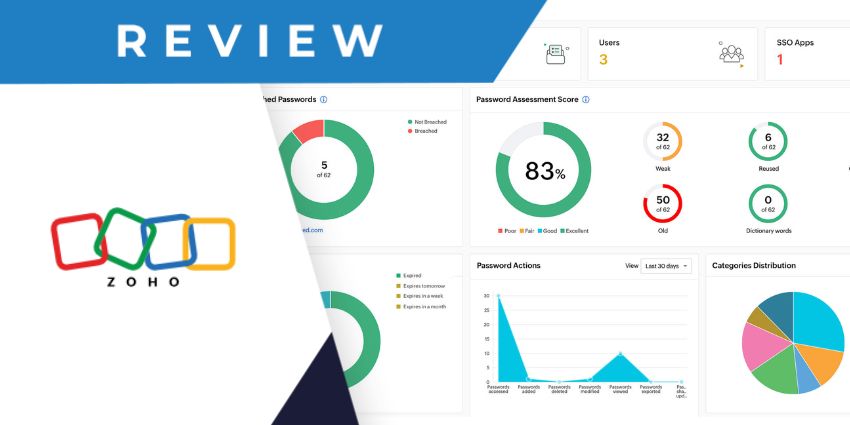
You’ll also be able to create and download custom visual reports. We particularly love how easy it is to create reports that show you when your users change their passwords, and which tools they use most often.
From an integration perspective, Zoho Vault works seamlessly with all of the key applications offered by Zoho, like Zoho Desk, and Zoho’s Workplace tools. You can also integrate the system with help desks, like Zendesk and Service Now, to streamline security support operations.


