
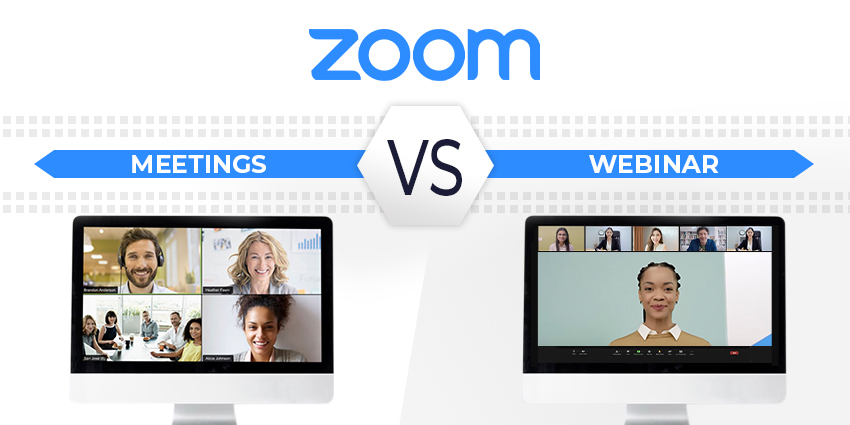
Zoom skyrocketed into the spotlight during 2020, when the pandemic rapidly increased the need for video communication. As a simple and accessible solution for online conferencing, Zoom helped to keep people and companies connected during an uncertain time. Now, companies are beginning to see the value of having the right investment in tools like Zoom for the future of work.
As remote and hybrid working maintain their popularity, video-first collaboration solutions will help to keep people connected, engaged, and productive, wherever they are. The question for most companies isn’t whether they need a video solution – but what kind of package is right for them.
Zoom, for instance, can support video collaboration via Zoom Meetings and Zoom Webinars. Here’s what you need to know about each option.
What are Zoom Meetings and Zoom Webinars?
Zoom Meetings is perhaps the most popular product from Zoom. The Meetings environment is where you can have conversations with employees, colleagues, and even friends and family. According to Zoom, Meetings is designed for group collaboration, team conversations, sales demos, online learning, and office discussions.
With Meetings, you get a collaborative environment where everyone can screen share, interact with video and audio, and “engage” in a virtual discussion. You can interact through chat and screen sharing alongside video, answer polling questions, and apply virtual backgrounds.
Zoom Webinars, on the other hand are similar to virtual events. Webinars give you a digital environment where you can present ideas and content to a larger audience. A host (and sometimes some co-hosts) have complete control over what the audience members can do, including whether they can share video and audio. You can allow webinar participants to chat and share files, or they can be silent viewers of the event.
When to Use Zoom Meetings
Zoom Meetings are collaborative environments intended to allow teams, students, and other groups to share content, communicate via audio and video, and contribute to a shared conversation. Zoom Meetings come with tools to make the experience as immersive as possible. For instance, you can apply virtual backgrounds to your meetings, or bring everyone together in a shared virtual space with an Immersive meeting. Zoom Meetings also offer:
- Waiting rooms to ensure only the right people can join
- Breakout rooms for deeper conversations between smaller groups of attendees
- Registration and meeting passwords to better protect your discussions
- Screen and file sharing for both the host and permitted users
- Whiteboarding – a virtual space where people can draw, type, and annotate alongside other participants.
- Chat and discussion through Zoom Chat (this can include sharing emojis and links)
- Reactions: Meeting participants can silently react by using an emoji in a meeting
- Polling to collect information from groups of participants
- Streaming via YouTube Live, Facebook Live, and other custom services
- View management to spotlight a speaker or multiple participants
- Integrations: Users can integrate Zoom Meetings with various tools, including calendar services, Salesforce, and more
Zoom Meetings are best for interactions when employees need to share ideas in an environment where everyone can have an opportunity to speak freely. While hosts of meetings can mute other participants and decide who can share video, meetings usually have multiple people interacting simultaneously.
Within a Zoom Meeting, you can present ideas with a co-host or on your own, share your screen (or just a portion of it), engage participants through polls and chat, and even break your employees up into breakout rooms where they can discuss ideas.


