
Microsoft is one of the market leaders paving the way to a new “future of work”.
Not only does Microsoft provide users with Microsoft Teams – a collaboration solution that supports more than 115 million daily active users – but it’s constantly rolling out new services too. For instance, Microsoft Viva is the latest offering designed for the modern team.

Microsoft Viva is an employee experience platform intended to combine various tools for employee wellbeing, engagement, learning, and knowledge discovery. Built to augment and enhance the existing Microsoft 365 applications, Viva promises a new way for team members to stay productive and continue delivering their best work.
The Microsoft Viva EXP (Employee Experience Platform), is an environment built to improve remote work, in a world where anywhere work is growing more common. According to the Head of Microsoft 365, Jared Spataro, Viva responds to the idea that we should stop thinking about work as a “place” and start looking at ways to “harness human ingenuity” and connect employees in a changing world.
What Does Viva Include?
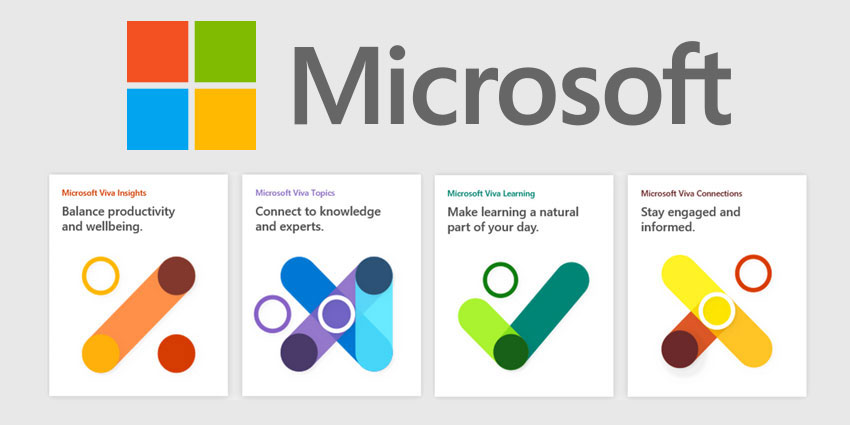
Viva integrates Microsoft Teams and the Microsoft 365 solution with a selection of tools for employee engagement and experience. The functionality of Viva is split across four segments:
- Viva Connections
- Viva Insights
- Viva Learning
- Viva Topics
All these solutions work together and individually to provide today’s team members with a more aligned environment for employee productivity. Viva is the all-in-one EXP solution designed by Microsoft Teams to empower the modern employee in a time of remote work. It could also be one of the most valuable tools on the market for team leaders who want to ensure the ongoing productivity and wellbeing of their remote staff members.
What is Viva Connections?
Viva Connections is Microsoft’s solution for amplifying culture and communications in the digital workspace. It provides access to a personalised gateway, where employees can access useful company resources and internal documents. Through a customisable app within Microsoft Teams, you can supply your employees with all the latest news and insights from your organisation.
Connections isn’t just a hub for internal communications and resources; it’s also designed to be a valuable place staff member can visit if they want to get to know their colleagues a little better. Spataro describes it as the “gateway to the digital workplace”.
Viva Connections builds on the technology of Microsoft SharePoint and offers everything from employee resource groups and communities to town halls, company news, and quick access to recently opened apps and documents. Viva Connections aims to help employees stay engaged within the company, no matter where they’re working from.
A modernised “hub” for the workplace of the new normal, Connections is where business leaders can ensure that team members have access to all the tools, announcements, and conversations they need, through a branded dashboard. Features included:
- A brandable and customisable dashboard environment
- Easy access to broadcasts for team leaders
- Organisable documents and company policies
- A constantly updating news feed, similar to social media
- A resources tab where customers can access useful information
- Communities and town hall environments
Microsoft says Connections will evolve the standard intranet to help users communicate across the organisation, engage employees, and connect with more knowledge and information.
What is Viva Insights?
Viva Insights is sure to be an exciting component of the Viva experience in a world where business leaders need help tracking their employees’ productivity. Through Insights, managers and leaders can access personalised and actionable information about the workplace.
To some, Microsoft Insights might seem like another step in the same direction as the “Productivity Score” for Microsoft Teams, which caused some controversy recently. Microsoft has already been criticized for allowing managers to drill into individual employee data too far. Fortunately, Viva Insights builds on a focus for greater privacy and employee comfort.
Personal experiences and insights are only available to the employee, and Microsoft says they will help individuals to adjust their workdays for productivity and wellbeing. People will be able to see when they should be making time for regular breaks, and the Insights section can also offer information on how teams can strengthen colleague connections.
Managers and supervisors also benefit from Insights by being able to view trends at an organisational and team level. This should help companies to make better decisions to support productivity and wellbeing. The insights available on the organisation are deidentified to maintain more privacy for workers. Features include:
- Comprehensive insights for personal workers
- Support for tracking trends in the wider organisation
- A dashboard for combining employee feedback with Viva insights
- Actionable advice to improve productivity and wellbeing
- Integrations with third-party services
- Guides to employee burnout and wellbeing
Interestingly, Viva Insights focuses heavily on not just productivity in the workplace, but better wellbeing for people working remotely too. As many remote workers can struggle to find the right work/life balance, Microsoft believes it’s important for teams to promote good mental and physical health. There are even full integrations with apps like Headspace for meditation, and a “virtual commute feature”.
What is Viva Learning?
Learning is an important focus area for Microsoft, and something that a lot of companies are investing more time into as we head into the new world of work. Around 94% of employees say that they would stay with a company for longer if the organisation invested in their development and learning. Microsoft is making development easy with a training and professional development section that integrates with your Microsoft 365 experience.
The Learning environment in Viva combines all the learning resources that may be available to your team in a single space, including tools from LinkedIn Learning, Coursera, Microsoft Learn, edX, and the content library maintained by the company. Viva Learning makes it quick and simple to discover, share, track, and even assign a variety of learning experiences as a standard part of the workday. Features include:
- Integrations with a range of leading learning solutions
- Aggregated environment for tracking education
- Share and assign learning resources to specific team members
- Organise lessons just as you would any other content
- Interact about learning experiences over Teams
- Create a custom learning tab with curated content
With Viva Learning, Microsoft is helping to ensure that development and education in the workforce isn’t forgotten when teams are working remotely. Microsoft plans on offering integration with a range of learning management systems going forward, to provide team members with consistent access to new tools and opportunities for development.
Through Viva Learning, business leaders can assign small courses, webinars, and other educational experiences to specific team members, based on their goals, or the leaders’ knowledge of the extra support that staff might need.
What is Viva Topics?
Finally, Viva Topics is all about empowering the workforce with the expertise and knowledge they need to thrive in a changing workplace. Viva Topics helps people to connect to information and leaders around the company, with AI insights to assist with better connections. According to Spataro, Topics is essentially a Wikipedia for the digital company.
Microsoft Teams already has its own Wiki feature, but Viva Topics goes to another level. The technology uses artificial intelligence to organise content effectively and automatically surface the right information for people, ranging from videos and documents, to contact details for helpful professionals. Viva Topics can generate “topic cards” from all over the Microsoft ecosystem, pulling information from SharePoint, Office applications, and Teams.
The idea behind Topics is that when AI can pull information from both Microsoft and third-party services like Salesforce, there’s less jumping between apps. Clicking on a topic card opens a related page with access to various useful pieces of information. Features include:
- Comprehensive integration with Microsoft and third-party tools
- Insights into videos, documents, and people
- Convenient searching functionality
- AI-enhanced curation and organisation
- Improved efficiency with less switching between apps
You can update and enhance the information you have on your Topics pages at any time, just like you would with a Wikipedia entry. This could be a fantastic way to make sure that individuals within the workforce are fully empowered to do their best work.
What Does Viva Mean for Your Business?
The Viva Employee Experience Platform is an innovative new way for companies to connect and support their distributed teams. In a world where everyone is working from “anywhere”, Microsoft wants to ensure that the workplace can be as flexible and scalable as possible. Viva focuses on delivering excellent communications, while supporting knowledge, wellbeing, and learning too.
While similar solutions have existed in Microsoft Teams before for things like intranet functionality and connections to leading apps, Viva takes this concept to another level. With Microsoft Viva, companies don’t have to compromise on an immersive company culture and excellent productivity when their employees are in a hybrid or remote environment.
Viva seems to be Microsoft’s solution to maintaining an ongoing flow of work in a distributed environment, while also reminding today’s business leaders that employee wellbeing and engagement is just as important as ever.
More:
Microsoft Viva: A New Employee Experience Platform
Microsoft Viva EXP: Why is Viva So Valuable?
Microsoft Will ‘Dominate’ Workplace Analytics with Viva – Partners