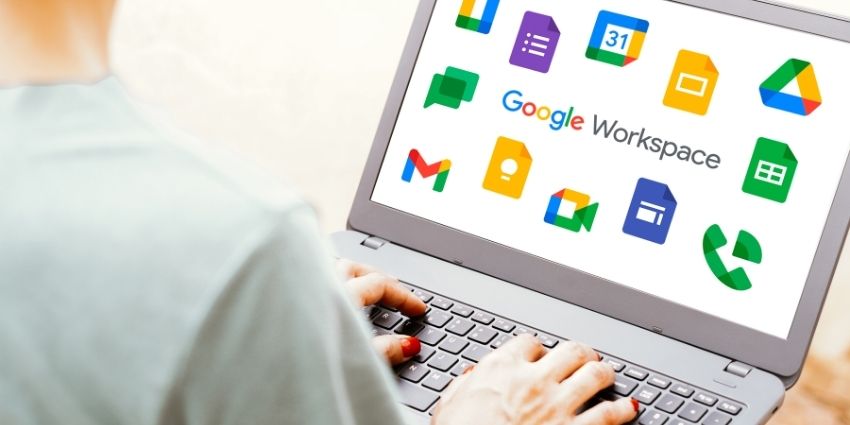

Google has started rolling out a set of updates to its Workspace productivity suite aimed at reducing everyday friction in hybrid work environments and improving content creation workflows.
The most prominent change is automatic room check‑in for Google Meet, which uses ultrasonic signals to detect when a mobile device is physically in a conference room.
It also suggests the best way of joining a meeting. When the app detects an inaudible ultrasound signal from compatible room hardware, it highlights the “Use Companion mode” option on the pre–join screen.
Tapping this option checks the device into the correct room. It also prevents audio feedback and echo, which often disrupt hybrid calls.
The feature is available on recent versions of Google Meet and Gmail for Android and iOS devices.
It starts rolling out in Rapid Release domains from this week – completing a year–long transition that began with the Scheduled Release phase in February 2025.
This update reflects Google’s push to refine Companion mode.
The feature allows in–room attendees to join meetings from personal devices without competing for audio or video with the room’s conferencing system.
Companion mode lets users participate via chat, raise hands, or share content without disrupting the physical room’s audio. It has been available on laptops and mobile devices since mid–2025.
Automatic check–in also raises questions beyond convenience.
Using a phone’s microphone to listen for ultrasonic signals – even if they are inaudible – may prompt scrutiny from enterprise security teams and privacy officers. Organisations in regulated industries are especially cautious of any form of ambient sensing.
Google says administrators can disable proximity detection at the room level. The default setting enables the feature unless changed.
The evolution of Meet’s room and device detection fits a larger industry trend. Context–aware collaboration software attempts to infer user intent and environment to streamline workflows.
While critics argue such features can reduce user control if not transparent, advocates say they save time and reduce distractions.
Smarter Forms and Video Tools
Alongside the Meet update, Workspace is improving two other widely used tools.
Google Forms can now stop accepting responses automatically based on a set date, time, or maximum response threshold.
For organisers of events, researchers, and administrators, this means forms close automatically when a limit is reached.
This removes manual overhead and the risk of forgetting to stop submissions. The automatic closure feature is off by default and must be enabled by individual form creators.
Google is also expanding the capabilities of Vids, an AI–assisted video generation service.
The tool uses the Veo 3.1 generative model and now supports portrait–oriented clips with improved pacing, realistic audio, and visual consistency.
Users can create short videos suitable for social sharing or internal communications directly from reference images and prompts. These changes reflect broader industry trends toward integrating generative AI tools into productivity suites.
The additions show a design philosophy that blends automation with content creation. For Forms, that means fewer repetitive tasks and reduced administrative overhead. For Vids, AI handles more of the framing and output decisions that once required human editors.
Administrative Controls and AI Integration
This month’s updates also include a set of changes aimed at giving IT administrators more control over how new tools and external AI features behave in their organisations.
Apple’s Intelligence Writing Tools can now be disabled in Workspace iOS apps and Google’s Data Migration service has been enhanced to support moving files, folders, and permissions from Dropbox to Google Drive.
In education, Google Classroom now supports podcast–style audio lesson generation powered by Gemini AI.
Google Meet’s near real–time speech translation is moving into broader beta access. This could support multilingual collaboration in classrooms and workplaces. Gmail will also enable emoji reactions by default, simplifying lightweight engagement in professional and social communication.
What this Means
Taken together, these updates show Workspace moving deeper into ambient automation and AI–assisted workflows.
The Meet ultrasonic check–in signals a shift toward software that anticipates context rather than simply responding to commands.
For organisations managing hybrid work policies, these changes could reduce routine friction. At the same time, they underline ongoing debates about how much ambient sensing and AI assistance workplaces are willing to tolerate in exchange for convenience.