
We’re big believers in the idea that XR is going to become a critical part of the workplace in the years ahead, particularly when it comes to learning and skill development. Our own research found that 84% of companies are investing in XR, and 36% say training is their top use case.
Unfortunately, buying headsets and smart glasses is simple, but designing immersive training content that actually affects workplace behavior isn’t.
When companies bite the bullet and decide to handle immersive learning design themselves (rather than just looking for something they can download from an app store), they tend to make a few mistakes. The first one is treating “immersion” as the main goal.
Immersion is just the delivery mechanism. Performance is the result that matters: fewer errors, faster ramp-up, better decisions when conditions aren’t clean or predictable. If performance doesn’t change, XR initiatives get pegged as fun, interesting, or novel, not essential. Budgets move elsewhere, and companies miss out on an incredible opportunity.
Further reading:
- Why Immersive Roleplay is Back in Enterprise Learning
- Enterprise XR: Pain Points and Solutions
- How to Integrate XR into Your Business
What Is Immersive Learning Design?
Immersive learning design is how companies create training and development strategies using extended reality technologies. The idea is to place every learner in an interactive, simulated scenario, so they can practice tasks risk-free, in a deeply sensory, engaging environment.
It’s all based on the idea that “practice makes perfect”.
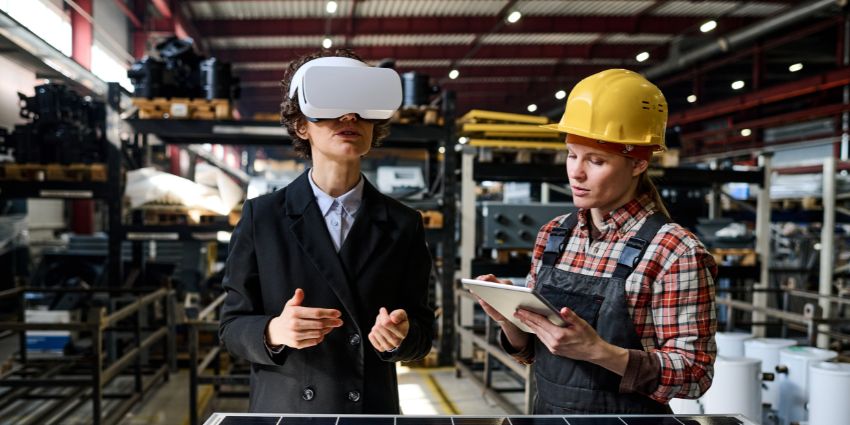
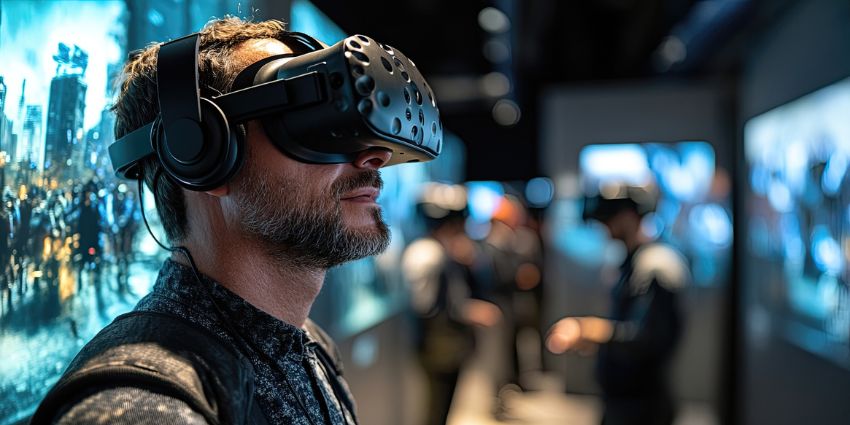
Instead of reading instructions or watching a presentation, employees enter a simulated situation and practice the task. XR technology makes that possible by recreating the environment around them. It might be a factory floor, a retail store, or a customer interaction. The situation feels close enough to real work that the response starts to feel natural.
How Can Immersive Learning Improve Skill Transfer?
The biggest factor is the “learn by doing” experience. You’re not just reading about how to perform a surgery, or fix a complicated piece of machinery. You actually practice doing the task itself.
A huge number of companies, including brands like Verizon and Walmart have already seen how immersive learning can optimize skill transfer.
Skills tend to stick when someone has tried the task themselves. Simulation creates that opportunity. A learner might repair equipment, walk through a safety procedure, or handle a stressful conversation with a customer. Two things make the approach effective. First, the learner can repeat the experience until the response becomes familiar. Second, mistakes don’t carry real-world consequences. That combination turns training into practice rather than explanation.
It’s also a flexible way to learn. Companies are using immersive learning for soft skill development as well as building technical knowledge. People can learn how to handle conflict, deal with difficult customers, and even improve leadership skills.
Why do Some Training Programs Fail to Translate Into Job Performance?
Immersive learning works. There is tons of evidence showing XR content is more memorable and more effective at improving skill development than any traditional classroom strategy. One report from Stanford measured the “training effectiveness” boost at 76%.
The problem comes down to how experiences are designed. Companies still struggle to get results when educational content in XR has:
- No Direct Link to Real Job Tasks: A lot of immersive learning design still models the ideal version of work. Clean sequences. Perfect information. No interruptions. No conflicting priorities. That’s not how real jobs operate. When simulations avoid the real mess, learners learn how to pass the experience, not how to perform in honest conditions.
- No Reinforcement: Skill formation depends on repetition, variation, and feedback. Without those, immersive experiences behave like high-budget awareness tools. Capability forms when people practice the same decisions under slightly different conditions and receive feedback specific enough to change behavior.
- No Measurement Beyond Completion: Completion rates are easy to track. So are satisfaction scores. Neither says much about performance. When immersive programs stop at “who finished” or “who felt confident,” they never earn operational credibility. Leaders care about error rates, time-to-competency, and consistency under pressure.
What Principles Guide Effective Immersive Training Design?
The immersive learning programs, companies, and vendors brag about do things differently. Companies design experiences based on genuine employee friction points. They integrate XR tools with existing skill development strategies, and focus on interactivity, activity, and decision-making, not just “watching things unfold in the metaverse.”
Here’s how companies can master immersive learning design and avoid some of the common pain points with XR deployment.
Choose the Right Type of XR First
One of the easiest ways to sabotage immersive learning design is picking the wrong tool for the job. Not every skill needs the same kind of immersion, and knowledge transfer improves when the XR format matches how the skill is actually used.
VR: Rehearsal and Safe Failure
Virtual reality earns its keep when the consequences are real. When a mistake would cost money, put someone in danger, or turn a tense situation worse fast, VR is hard to beat. It gives people a place to practice tough calls and feel the pressure without learning the lesson the hard way.
That’s why VR shows up repeatedly in leadership training, safety response, and customer-facing scenarios. In one example, Bank of America reported that 97% of associates felt confident applying skills after VR training. Confidence matters here because the situations being trained rarely allow for trial and error on the job.
AR / Smart Glasses: Reinforcement and In-Flow Support
Augmented reality shines later in the learning curve. When people already know the task but struggle with consistency, speed, or accuracy, AR provides guidance at the moment it’s needed.
This is where designing immersive training becomes less about “learning” and more about execution. In manufacturing and field service, small prompts can prevent big mistakes. BMW, using smart glasses from RealWear, completed some repairs 75% faster, largely by reducing hesitation and rework.
Mixed Reality: Spatial Understanding and Complex Systems
Mixed reality sits between rehearsal and reinforcement. It’s most useful when people need to understand how digital information maps onto physical space.
That’s why it’s been effective in engineering and assembly. Boeing reported roughly 25% productivity improvements using AR to guide wiring harness assembly. Spatial clarity reduced errors that documentation alone couldn’t.
Start With Task Fidelity and Transfer-Ready Learning Objectives
A lot of programs begin with mapping XR capabilities, like hand tracking, spatial audio, or photorealistic environments. None of that matters if the experience doesn’t train people to do things differently on the job.
Transfer-ready objectives are about what people actually do, not what they say they understand. If a supervisor can’t watch the behavior change, it’s not a real objective. The strongest goals focus on actions like diagnosing a problem when time is tight, choosing priorities with half the information, or calming a situation that’s already spiraling.
Strong teams pressure-test objectives against reality before anything gets built. They ask:
- Where errors, delays, or escalations actually occur
- Which decisions separate high performers from average ones
Those answers shape the scenario. Not the other way around.
Design for Decision Points, Not Linear Steps
Most immersive training still behaves like a checklist. Do this. Then this. Don’t deviate.
That’s unrealistic, because real work doesn’t reward people for remembering the next step. It rewards people for choosing something when the situation doesn’t line up neatly. Information arrives late. Pressure builds. The “right” answer depends on what just went wrong.
Good immersive learning design leans into that discomfort. It drops learners into moments where the path isn’t obvious and waits to see what they do.
There’s a simple tell. If every learner finishes the scenario the same way, the experience is probably training recall. Not judgment. This is why decision-driven simulations have started replacing procedural walkthroughs in complex environments. In rail operations, Virtualware worked with ADIF to build modular VR scenarios that shift as real operational conditions change.
Sometimes the correct move is to stop or reroute. Sometimes escalation creates more risk than it solves. Learners have to choose anyway. That kind of practice builds real skills that translate to everyday work.
Prioritize Interactivity Over Visual Fidelity
Beautiful environments don’t teach people how to act. They teach people how to look around. That’s fine for a demo. It’s useless for knowledge development.
What actually sticks is movement and choice. Saying something out loud. Picking the wrong option. Hesitating. Recovering. Those moments force the brain to work in the same way it does on the job.
In weak immersive learning design, learners spend most of the session watching. Listening. Waiting for the system to tell them what to do next. That’s not practicing something; it’s just consuming content. In strong immersive training, learners interact.
Healthcare training shows this clearly. Transfr reported up to 50% knowledge gains when learners practiced clinical decisions inside interactive simulations instead of consuming traditional instruction.
Interactivity also leaves a trail. Every choice exposes something. That’s what makes immersive learning optimization possible in the first place.
Design Realistic Models and Scenarios Strategically
Realism is expensive, and attention is limited. Not everything deserves detail. If you’re using smart glasses over VR, for instance, the visuals tend to matter a lot less. The type of skills you’re developing changes things too.
Some skills demand accuracy, spatial judgment, equipment handling, and safety checks. In those moments, realism matters. But realism everywhere is noise. Extra detail pulls attention away from the decision that actually matters.
Strong immersive learning design is selective. It sharpens the parts of the environment that support judgment and simplifies everything else.
Aviation training is a good example. TRU Simulation + Training uses highly realistic virtual environments so pilots can practice operations and emergency scenarios repeatedly, without the cost or limits of full-motion simulators. The realism isn’t there to impress. It’s there to make mistakes feel real enough to learn from.
Blend XR With Traditional Learning on Purpose
XR is excellent at rehearsal and at letting people fail safely. It’s not great at framing, reflection, or follow-up on its own. That’s where many programs stumble, by dropping learners into an experience with no runway before and no structure after.
Strong immersive learning design doesn’t treat XR like a standalone event. It fits it into a flow that mirrors how people actually learn. Set the context first. Drop learners into immersive practice where choices matter. Slow things down afterward and talk through what happened and why. Then run it again with a twist. Different conditions. New pressure. Reinforce the behavior back on the job, not just in the headset.
At Walmart, immersive training helped cut training time by 96%, while boosting satisfaction by 30% and assessment scores by 12.5%. The real win wasn’t the headset. It was the structure around it, standardized scenarios, consistent follow-up, and clear expectations for what changed on the floor afterward.
Optimize User Interfaces for Work
Too many immersive experiences slow people down with extra menus, gestures, and clever interactions that have nothing to do with the job. Every added step steals attention from the behavior being trained.
Good immersive learning design removes friction. The next correct action should be obvious. The learner shouldn’t have to think about the interface while trying to think through a problem. Some tools even use ambient intelligence to make interacting with a system feel automatic.
This matters more than teams expect. In field and audit workflows, small UI improvements can unlock outsized gains. Clorox, working with Vuzix, completed audits in one-tenth the time, saving roughly $949 per person. That came from alignment with how work actually happens.
Learn more about how ambient intelligence is transforming the workplace, with our guide to the value of invisible XR at work.
Improve Accessibility and Physical Comfort
If people feel sick, wiped out, or disoriented, training falls apart. It doesn’t matter how smart the content is. The body always wins that fight. That’s why immersive learning design has to take physical comfort just as seriously as mental load. Ignore it, and nothing else sticks.
Motion sickness remains a real constraint. Studies continue to show that poorly designed locomotion, unstable reference points, and overly long sessions reduce tolerance and shorten usable training time. When learners are distracted by discomfort, decision-making quality drops fast.
Strong teams design around this instead of pushing through it. Shorter sessions, stable camera perspectives, clear orientation cues, simple controls, and options to pause or reset without penalty. Accessibility is all about making sure people can stay focused long enough for behavior to form.
Train Instructors and Managers
Immersive learning doesn’t transfer on its own. It needs support from people. Even the best-designed simulation loses impact if no one helps learners make sense of what just happened. That’s where facilitators and managers quietly decide whether skills stick or fade.
In strong immersive learning design programs, instructors aren’t just session moderators. They guide reflection and ask why a decision was made, not just whether it was right. Managers then reinforce those same behaviors back on the job, watching for the moments that matter.
This human layer is what lets immersive learning scale. In financial services, Crédit Agricole rolled out VR roleplay training across 23 scenarios and 8,200 branches, using real-time feedback on tone, posture, and decision-making. The tech played its part. The coaching is what made the difference.
Add AI Where It Sharpens Feedback
AI can help a lot with immersive learning design. It can assist companies in creating content, collecting insights from sessions, and (maybe most importantly), providing feedback in the morning.
In strong immersive learning design, AI is used to notice what humans miss at scale. Hesitation before a decision. Repeated errors in the same moment. Patterns that only show up after hundreds of runs. That kind of signal is hard to capture consistently without automation.
The key is restraint. AI works best when it adapts difficulty, personalizes feedback, or scales coaching, not when it tries to replace it. Learners don’t need a synthetic instructor. They need clearer insight into why a decision failed and what to try next.
Foster Collaboration Only Where the Job Requires It
Too many immersive experiences force multi-user interaction because it feels future-facing. The result is often awkward coordination that adds friction instead of realism. If the job is typically done solo, collaboration becomes noise.
Strong immersive learning design treats collaboration as a constraint, not a feature. It’s used when decisions genuinely depend on timing, shared awareness, or distributed expertise. Safety coordination, remote diagnostics, or complex handoffs.
Field operations offer a clear example. TotalEnergies, working with RealWear, enabled frontline workers to collaborate with remote experts during inspections and troubleshooting. The result wasn’t just faster resolution; it reduced travel, cut emissions, and improved decision quality on the spot. Collaboration matched the job.
Build Debrief and Reflection Loops
Strong immersive learning design treats the debrief as non-negotiable. Not a recap of what went right or wrong, but a short, focused conversation about decisions. Why that choice? What cue was missed? What would change if the same situation showed up on a bad day, with less time?
Reflection works because it slows the moment down. It gives learners language for what they felt but couldn’t name while the clock was ticking. It also exposes patterns, like hesitation before escalation, overconfidence early, or avoidance when the stakes rise.
In VR research led by PwC, roughly 75% of learners reported a “wake-up call” moment during immersive training. That moment doesn’t turn into a behavior change on its own. It needs structure. Debrief turns surprise into insight.
How Can Organizations Measure Training Effectiveness in Immersive Programs?
Once an immersive learning experience is live, the real work starts. You have to find out if it’s actually changing anything. That means looking beyond standard completion rates. Everyone will “take a course” if they think it makes them look good. You need to see what they’re gaining from it. Check:
- Error Rates: When immersive learning works, fewer things break. Fewer missed steps. Fewer bad calls. Less rework that shouldn’t have been necessary in the first place. That’s why error rates are such a reliable signal of transfer.
- Time-to-Competency: This metric cuts straight through the noise. How long does it take before someone can do the job on their own, without hovering support? Faster ramp-up takes pressure off experienced staff and reduces mistakes during handovers.
- Supervisor Validation: The strongest programs always close the loop with managers. One simple question does the job. Can this person actually do the work better now?
This is the difference between reporting and accountability. Immersive learning optimization isn’t about tracking everything. It’s about tracking the few things that prove behavior actually changed.
Immersion Is Easy: Transfer Is Designed
Immersive learning falls apart when design is treated as an afterthought. It really is that simple.
Headsets draw a crowd. Scenarios get praise. What actually changes behavior is sharper objectives, uncomfortable decision-making, steady feedback, and managers who know what to watch for once training ends. When those pieces line up, designing immersive training stops feeling experimental and starts feeling deliberate. Results get easier to track. Conversations get clearer.
There’s no need to pile on more realism, more AI, or more collaboration just because it sounds impressive. What matters is designing experiences that respect how people really work, then measuring success the same way leadership already does. Immersion comes easily. Transfer doesn’t.
If you’re ready to learn more about what XR can actually do for your organization, particularly when it comes to training, our guide to extended reality for business is a good place to start.
FAQs
How can XR simulations replicate real workplace scenarios?
The starting point usually isn’t the technology. It’s the job itself. Designers sit down with the people doing the work and ask where things actually get messy. Maybe a machine jams halfway through a process. Maybe a customer conversation goes sideways. Those situations get recreated in XR so learners can step into the same moment and decide what to do next.
What role does feedback play in immersive learning experiences?
The headset creates the situation, but the feedback is where people usually learn something. After a scenario ends, someone walks through the choices that were made. Why that response? What signal got missed? That short discussion often lands harder than the simulation itself.
What design mistakes reduce the impact of immersive learning?
A common mistake is making the experience too polished. Real jobs are messy. Information arrives late, people interrupt each other, and priorities shift. When simulations ignore that reality, learners figure out the “training path” instead of learning how to handle the situation.
How can companies align immersive training with real job tasks?
One quick way to tell if training is aligned with real work is how employees respond to the scenario. When they recognize the situation right away, it usually means the experience was built from everyday tasks rather than theory.
What technologies support immersive learning development?
Most programs rely on a mix of tools. VR is often used for full simulations. AR or smart glasses sometimes appear later to reinforce the skill during real work. On top of that, many platforms now include analytics that track how someone moves through a scenario and highlight patterns in their decisions.