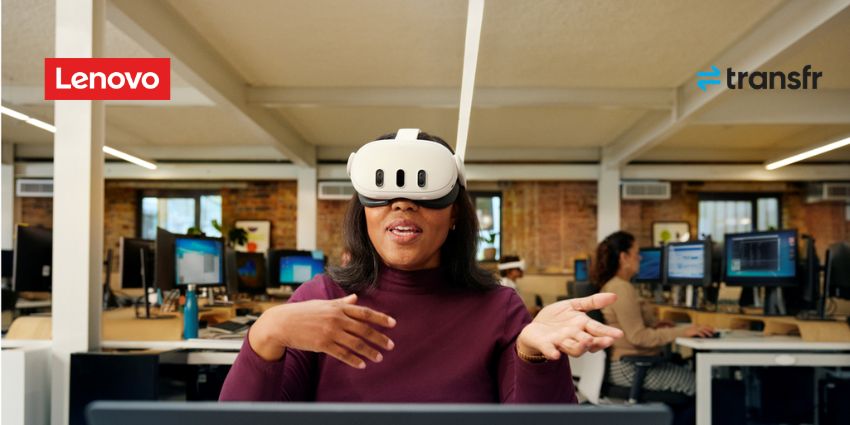

Right now, it’s seeming more and more likely that 2026 will be the infection point for XR adoption in the enterprise. Plenty of companies have already run pilots for XR in training, collaboration, and even customer service, and they’re eager to scale.
Interest is obviously there. One of our reports last year found 84% of respondents are either adopting or evaluating XR. Unfortunately, ambition and readiness aren’t the same thing. Organizations want immersive tech, but they’re still treating headsets and smart glasses like toys, rather than looking at them as critical endpoints that need just as much governance as any laptop or smartphone.
XR device management solutions are showing up, from Meta, Microsoft, and even brands like Pico. But companies don’t always have a plan for how to use them.
If you’re introducing extended reality tools without first thinking about how you’re going to monitor and defend those devices, you’re setting yourself up for compliance headaches, poor adoption, and serious headaches when board members ask you to justify ROI.
Further Reading:
- How to Choose the Right XR Devices for Real Work
- Enterprise XR: Pain Points and Practical Solutions
- Extended Reality in 2026: From Experiment to Infrastructure
What is XR Device Management?
XR device management is a specialized type of software solution, similar to mobile device management, that helps companies remotely deploy, configure, and track their extended reality tools and headsets.
It tends to combine a number of features, from remote management and control options, so you can decide who can access what from a distance, to content management features for applications and software, and even device lockdown options. Some solutions even let you track device health, and enable remote security measures, like returning devices to factory settings.
Why is XR Device Management Crucial Now?
There’s plenty of evidence that shows XR deployment strategies should pay off. We’ve seen countless case studies of brands using XR to improve employee experience, support team members on the front line, and ensure training initiatives actually stick. Where companies face problems is when they treat extended reality devices as fun experiments and leave them floating outside of normal IT rules.
Realistically, XR device management needs to cover the same basics as laptops and phones: managed identity, managed apps, managed updates, managed recovery, and a real end-of-life plan.
What’s shifted recently is where this pressure comes from. Security and IT are drawing the boundary. Microsoft now classifies AR and VR headsets as “specialty devices” inside Intune, which is a meaningful signal on its own. Headsets are being treated as endpoints, whether organizations are ready for that or not.
Unmanaged XR creates the kind of blind spots that make security teams nervous for good reason. Cameras. Microphones. Spatial mapping. Sometimes eye tracking. XR devices collect more contextual data than most laptops or phones out of the box. Without parity, there’s no clear answer to basic questions: who last used the device, what ran on it, or whether sensitive data is still sitting there.
Gartner has already called out device lifecycle management as one of the biggest barriers to scaling immersive technology. Plenty of companies feel that.
What Are the Key Components of XR Device Management?
XR device management is really just like any other form of device management. It works best when it maps to how people use headsets and smart glasses every day, and recognizes how much data these tools can actually collect. What companies need now is:
Identity & Access Control
Assigned and shared models both show up in real deployments, often in the same program. Assigned devices behave nicely: one user, one identity, predictable access. Shared and frontline devices are messier. They need fast session resets, clean handoffs, and zero guesswork about who’s logged in.
20% of XR adoption resistance comes from users themselves, and sign-in friction is a big reason people quietly avoid the hardware. When identity handling feels clumsy, trust evaporates before value shows up.
App Control and Sideloading Restrictions
Unmanaged apps are where risks start adding up quickly. Enterprise XR devices need clear allow/deny rules, curated app delivery, and tight control over sideloading, the kind of features you already get from tools like Meta for Business, and Pico’s XR Management tools.
Without that, support teams end up debugging mysterious behavior, security teams lose visibility, and frontline users get stuck inside consumer-style menus hunting for the one app they’re allowed to use.
OS, Firmware, and Content Updates
Manual updates don’t survive scale. Not with dozens of devices, and definitely not with hundreds. Staged rollouts, version consistency, and rollback paths are must-haves once XR moves past pilots.
There’s a reason 34% of organizations in one of our reports said technical complexity is a top barrier to XR adoption. Update sprawl is complexity in its purest form: small issues, multiplied across fleets, at the worst possible time.
Remote Lock, Wipe, and Recovery
Headsets get lost. They get reassigned. They get dropped. Recovery has to be instant and remote, especially when devices capture more than clicks and keystrokes.
Stanford researchers have shown that VR tracking data can identify 95% of users from a pool of 511 people using less than five minutes of movement data. That’s a reminder that XR endpoint security depends on basic controls working every time.
Flexible Models
Most XR deployments aren’t neat, one-user-one-device scenarios. They’re shared. They move between hands, shifts, rooms, and sometimes buildings. That’s where XR device management gets tricky.
At scale, XR devices should have settings that let companies design and control the “approved experience”. Kiosk-style behavior matters because frontline teams don’t want options; they want the tool to do one job reliably, every time, in every location.
What Are the Risks of Poor XR Device Management?
Poor endpoint management always seems to create more problems than companies realize. With XR devices, the risks are bigger simply because these systems capture more data and influence more work, particularly with the addition of AI.
Without visibility, nobody knows who last used a headset, what apps were running, whether it’s still holding sensitive data, or whether policies ever applied in the first place. XR headsets aren’t neutral objects. They carry cameras, microphones, spatial awareness, and sometimes biometric signals. That’s a much richer data surface than most endpoints, paired with far fewer default protections.
Compliance and security issues are just the start. Manual provisioning, inconsistent updates, and devices that need to be “fixed” before every session create OPEX drag. High-touch support that scales linearly with every new headset added to the fleet. All of this shows up when IT teams are spending real time keeping devices alive instead of supporting outcomes.
There’s also a human cost. When devices derail work, confidence drops fast. People stop trusting the hardware. They build workarounds. They avoid booking sessions. Once trust is gone, adoption becomes a persuasion problem instead of an operational one.
How Can Enterprises Manage XR Devices at Scale?
Scaling XR device management gets way easier once the tool landscape is treated like a menu of approaches, designed to flex with what XR adoption looks like in your business.
Step 1: Explore Software Options Carefully
As XR usage expands in the enterprise, the number of platforms available to companies that need to handle XR device management at scale is growing. We’ve got a few options to explore now, starting with the native solutions that come bundled with specific headsets and systems, like the PICO Business Device Manager, or Meta for Business.
Then there are more agnostic XR fleet platforms, like ArborXR and ManageXR, that offer kiosk-style controls and remote management features that can work with a range of different headsets.
Businesses also have a growing range of enterprise UEM/MDM suites extending into XR that they can consider. Microsoft Intune now treats AR/VR headsets as specialty devices that teams can manage alongside any of the other tech in their business.
Depending on the headset and the OS it’s running, some teams stick with tools they already trust. If an organization is deep into VMware Workspace ONE for phones and tablets, it’s not unusual to see XR pulled into that same environment.
What actually works comes down to some very simple questions. Which headsets are in play? What device management stack is already in place? And how fast is the program expected to grow once it leaves the pilot stage?
Step 2: Set Scaling Rules to Prevent Chaos
Tools don’t save a program if ownership is confusing. The operating model has to be painfully clear:
- IT owns enrollment, configuration, and update discipline
- Security owns baseline guardrails early
- Ops owns availability: charging, storage, spares, and break/fix workflow
Then you need to decide on the practical stuff that sounds small, but decides whether managing XR in the Workplace feels smooth or not:
- Set a “gold image” device state (apps, settings, restrictions) and keep every headset close to it
- Stage updates in waves and keep rollback options ready
- Build a fast recovery path (remote wipe/reset) so a broken session doesn’t kill a whole shift
That’s the difference between XR as a program and XR as a recurring support incident.
Worried about scaling extended reality? Check out our guide to how enterprises can scale and sustain XR success.
Step 3: Design for the Reality After Rollout (Not the Pilot)
Everything looks fine when there are ten headsets and one motivated owner. Things change fast once there are fifty devices, multiple sites, rotating users, and no patience for downtime.
Scaling XR device management means planning for what happens after the rollout email goes out.
First, assume churn. Devices will break. People will leave. Use cases will shift. Headsets will get reassigned, shelved, or suddenly pulled into a new workflow. If the system only works when everything stays static, it won’t survive six months. Build processes that expect movement: simple reassignment, fast decommissioning, and clean re-provisioning without manual heroics.
Second, design for support reality. Frontline teams won’t file perfect tickets. Trainers won’t remember which firmware version caused the issue. A good XR management setup shortens the distance between “something’s wrong” and “device is usable again.” Remote visibility, quick resets, and the ability to push devices back to a known-good state matter more than fancy dashboards.
Third, close the feedback loop. Device management isn’t just control; it’s a source of valuable signals. Which headsets fail most often? Which apps cause friction? Where do updates disrupt work? Those patterns should inform procurement, scheduling, and even whether a use case is ready to expand.
What’s Changing in XR Device Management?
XR in the workplace is moving beyond the stage where a handful of employees play with VR headsets in a lab. We’re moving into an era where more devices exist in motion for front-line teams, training sessions, and collaborative meetings. XR device management gets harder, not easier, as adoption grows, and businesses need to be ready for what’s next:
- More devices, less patience. XR is spreading into training rooms, field service, and operations. That means more handoffs, more resets, more broken straps, and more support requests. Endpoint discipline becomes the only way to keep fleets sane.
- OEMs are building “enterprise posture” into the ecosystem. Meta’s enterprise push has been leaning directly into management partnerships. Horizon Managed Services added another MDM partner (SkillsVR) in mid-2025, alongside earlier XR MDM integrations. That’s a market signal: management is now part of the product story.
- AI speeds up deployment, which raises the cost of sloppy governance. One industry report found 71% of respondents expect AI to simplify XR implementation. Great. Also dangerous. Lower friction means more devices deployed faster, and more ways to lose control if XR endpoint security and lifecycle discipline aren’t locked early.
- Wearables and ambient workflows crank up endpoint pressure. As XR shifts toward lighter, more “always there” experiences, “uptime” starts looking like a customer experience metric, not an IT one.
XR, just like AI, will continue to shape the workplace in the next few years. The only question is if your team is ready to manage devices safely.
XR Device Management: Defending the Immersive Experience
More often than not, XR initiatives fade out for one simple reason: handling the hardware is too much of a hassle. The moment a headset needs “a special person” to keep it running, momentum starts to disappear.
That’s why XR device management matters so much. Predictable enrollment. Enforceable policies. Reliable updates. Fast recovery. A lifecycle plan that covers spares, replacements, and retirements without drama. When those basics exist, XR starts feeling just as dependable as laptops and smartphones.
This is the heart of managing XR in the workplace: treat headsets like endpoints from day one, and XR endpoint security becomes a byproduct of good operations. Ignore endpoint discipline, and XR turns into an expensive collection of dusty devices with great potential and zero uptime.
Ready to learn more about XR for the enterprise? Start with our guide: Extended Reality Explained.
FAQs
How do organizations enroll and configure XR devices?
Usually the same way they handle any other company device. IT registers the headset in a management system, ties it to an identity, and pushes a standard setup to it. That setup might include approved apps, Wi-Fi settings, and security restrictions.
What policies are needed to manage XR devices securely?
Start with the obvious ones. Who can use the device. Which apps are allowed. Where recording features can and can’t be used. XR hardware often carries cameras and microphones, so companies also need rules about data capture and storage.
What tools support enterprise XR device management?
Some organizations stick with the management tools that come from headset manufacturers. Others use dedicated XR fleet platforms that can control multiple devices at once. Larger companies often fold XR into the same endpoint systems they already use for laptops and phones.
How should companies support XR device updates and maintenance?
Updates shouldn’t rely on someone remembering to plug in a headset and click install. Most organizations push updates remotely and in small batches, just in case something breaks. Maintenance also means having a fast reset option and a few spare devices nearby. When a headset fails right before a training session, nobody wants to wait for IT to figure it out.
How does device lifecycle management apply to XR technology?
XR headsets rarely stay with the same person for long. They get passed around, used in different sessions, sometimes repaired, sometimes forgotten in a cabinet. A lifecycle process just keeps that movement visible, so IT knows which devices are active, which ones were updated recently, and which ones are due to be replaced.