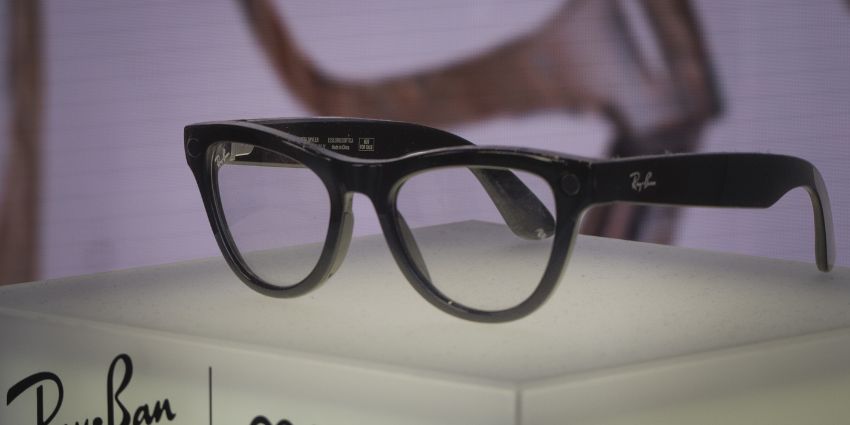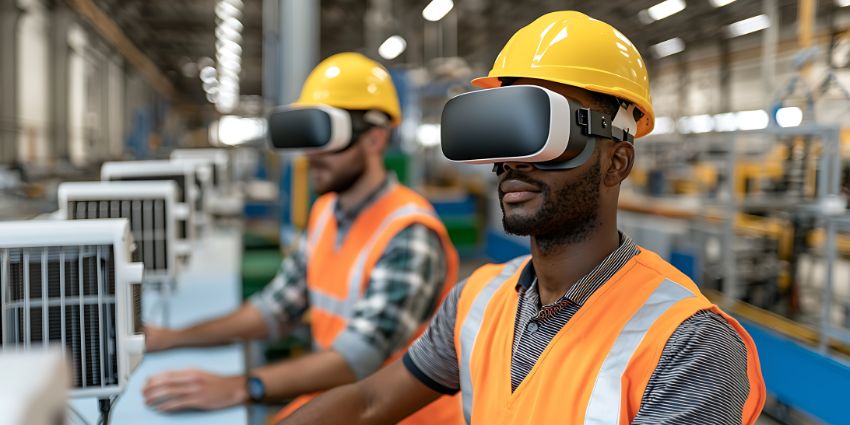

XR (Extended Reality) and AI are two of the most exciting technologies to hit the workplace in years. Everyone’s getting involved. The XR market is expected to be worth over $3261 billion by 2034, and the AI market will be worth over $3497 billion. Trouble is, inside most organizations, the people who are supposed to use this stuff haven’t been prepared at all.
In the UK alone, the CIPD found organizations are providing very little training on immersive technologies, even as they start to show up in everyday work. Then they wonder why adoption lags and ROI feels almost impossible to measure.
It’s easy to blame cost, devices, or immature use cases, but teams are really being blocked by something simpler: a lack of XR readiness.
When organizations skip the basics: skills, governance, ownership, and change management, pilots crumble before anything can scale. If XR feels “promising but stuck” inside your organization, this is probably why.
Further reading:
- VR vs AR vs MR: Which XR Tech Do You Need?
- How Enterprises Can Integrate XR into Workflows
- How Do Enterprises Scale and Sustain XR Success?
What Is The XR Readiness Gap?
Most companies are already aware that they need to be ready for AI, particularly as teams of AI colleagues evolve, but often, XR readiness feels less necessary. We assume smart glasses and headsets are still novelties, even as case studies continue to prove their value.
Our own research in 2025 found 84% of respondents were adopting or evaluating XR solutions for training, collaboration, customer experience enhancement, and more. But they’re still struggling with training and scalability.
There’s plenty of other data that proves XR is more than a novelty, too. PwC identified 1,550 unique XR business use cases by scanning 2.2 million UK organisations and analysing 500 million data points. What’s important to recognize is that XR readiness isn’t just about having a budget.
XR adds devices, identities, software layers, and support demands into environments that are already fragile. Research shows 74% of employees say even a minor technical issue can derail their day. Now imagine adding headsets, immersive apps, or spatial workflows on top of that without preparation. It’s no wonder companies face hurdles.
What Does XR Readiness Include?
Whenever a company says it’s “getting serious about XR,” the conversation usually jumps straight to devices. Headsets. Smart glasses. Specs. Timelines. That’s often the first sign they’re not ready.
XR readiness has very little to do with hardware. It’s about whether the organization can absorb a new way of working without adding more friction.
From what we’ve seen, readiness breaks down into four very practical layers.
- Skills enablement tied to real work: Skip the certifications. Skip the training programs built around XR itself. The real question is whether someone can use XR and keep working without feeling slowed down or unsure of what to do next.
- Governance people can actually understand: XR captures more than clicks. It measures movement, spatial context, and sometimes attention. If employees don’t know what’s being recorded, who sees it, or how long it’s kept, trust disappears.
- A clear operating model: When the pilot ends, someone has to pick this up. Actually own it. Who orders replacements when devices break? Who updates content when work changes? Who helps when someone’s stuck mid-task? If the answer is vague, XR never really moves past the trial phase. Fancy tech doesn’t fix missing ownership.
- Real change capability: XR changes behaviour and workflows. Treating it like “just another tool” skips the hard part. Human-led transformation depends on relevant, ongoing change management.
XR adoption is approaching a real inflection point, but inflection points reward preparation. Without readiness, organizations accumulate pilots nobody talks about anymore.
What Barriers Slow XR Adoption in Enterprises?
After a while, the failure modes start to look familiar. Different industries, different vendors, same outcomes. XR strategies fade away because of:
- Demo-led pilots: Of course, the demo looks good. It’s designed to. The mistake is stopping there. Too many teams forget to check what happens after people go back to real work. Did anything get faster? Safer? Less painful? When success is measured by reactions instead of results, XR lives on borrowed time. The moment budgets tighten, enthusiasm gets cut first.
- No job-task mapping: XR gets introduced without answering a simple question: Which moment at work is this meant to help? Training content doesn’t line up with real tasks. Guidance arrives at the wrong time. People stop trusting it.
- Policy comes last (or never): Privacy, security, and acceptable use get pushed down the roadmap. That’s how XR starts triggering “surveillance” concerns, union questions, and compliance rework. Once teams stop trusting devices, they stop using them.
- No workforce input: XR strategies are often designed for employees, not with When people aren’t involved early, resistance shows up through workarounds, minimal use, or polite disengagement. Shadow tools fill the gap, and leaders wonder why adoption feels shallow.
- Change capacity gets ignored: XR lands on top of already exhausted teams. Research shows 44% of HR and communications leaders see change fatigue as the biggest barrier to success. Piling XR onto an overloaded workforce without support creates avoidance.
Trying to understand the pain points influencing XR adoption? These are the issues enterprises tend to struggle with.
How Can Organizations Build XR Readiness Across Teams?
It’s easy to go too far in two directions when you’re trying to improve XR readiness. Either you overcomplicate things with massive roadmaps, or you just put XR on hold until you figure everything else out. The best strategy is simple:
Start with one workflow and one owner
Choose a single problem that you want to fix right now. The use cases for XR are diverse, covering everything from training, to collaboration, and even customer service. You only need one focus area to start with. Maybe it’s something like keeping field workers safe on the job with AI-enhanced smart glasses, or using virtual reality for risk-free skill development.
Once you’ve picked your workflow, choose an owner for the project. Figure out who’ll be responsible for watching headset usage, providing extra training, or just measuring ROI.
Map XR to the job before choosing devices
Work backwards from the task. Where does someone struggle? Where do they need guidance, validation, or hands-free support? Once that’s clear, device decisions get simpler and cheaper.
This is where first movers have seen real returns. BCG’s reporting on early enterprise XR programs shows outcomes like 20% less equipment downtime, 50% fewer revisit rates, 40–50% reductions in errors, and training times cut in half when XR is tied directly to work, not experimentation.
Plan for ongoing training
According to UKG, 83% of Gen Z frontline employees report feeling burned out, and more than a third are considering leaving. Asking people in that state to “figure out” XR on their own is a fast way to create resentment, not capability.
Training has to start early and keep going. A single walkthrough doesn’t count. People need space to ask questions, admit confusion, and say when something feels off. If you don’t listen and adapt, training turns into a checkbox exercise. Different roles need different support. Pretending otherwise is how frustration builds.
Put basic governance in place early
XR implementation suffers from similar problems to AI deployments. The more tech you use, the more data you’re going to be capturing. That’s great for business leaders looking for insights, but if teams feel like they’re being constantly watched and judged, they’re going to want to hide away. Be clear about:
- What data is captured
- Who can see it
- How long it’s kept
- What XR should not be used for
Also, try to ensure your teams have the psychological safety they need to speak up when they think something is dangerous, unhelpful, or problematic.
Equip managers properly
Managers make or break adoption for any kind of new tech, whether it’s AI assistants or a new set of smart glasses. If they’re uncertain about why the tech exists, or how to govern its usage, that uncertainty will spread to everyone else in the team.
Make sure they have a clear view of why XR readiness is important, where it makes sense to use the technology, and how to respond to pushback.
Measure What Matters
Insights into headset adoption are helpful, but you need more than just an idea of whether people are actually trying the tech. Use your objectives to guide you on what to measure. You might look at:
- Time to competency after XR training
- Downtime avoided in field services
- Error and rework rates
- Confidence in completing tasks
- Engagement and relationships at work
Combine data from intelligent tools and software with real feedback from your team. What do they love about XR, and would they change?
What “Minimum Viable XR Readiness” Actually Looks Like
XR readiness isn’t the same as XR maturity. You don’t have to be the poster child for the Apple Vision Pro, or the latest pair of Samsung specs to prove that you’re “ready”.
You just need:
- A clear problem statement tied to a real job task: If you can’t describe the moment XR helps, don’t deploy it yet.
- A named owner with cross-functional backing: Someone accountable, with HR/L&D, IT, and Ops aligned behind them.
- Workforce input captured early: Before rollout, not after complaints start. People support what they help shape.
- Plain-English acceptable-use guidance: No legal gymnastics. Just clarity on what XR is and isn’t for.
- Data and privacy boundaries agreed upfront: Spell out what’s collected. Where it goes. Who can see it. When it disappears.
- A defined support model: Devices don’t set themselves up. Updates don’t magically happen. Problems don’t wait for a quiet moment. Someone owns support.
- Manager enablement materials ready: FAQs, talking points, and clear permission to slow things down if needed.
- One success metric everyone agrees on: Time-to-competency, error reduction, downtime avoided. Pick one and track it.
Why it Matters Now: XR + AI is Accelerating
The good news? The infusion of AI in XR tools is making adoption easier. AI can reduce technical hurdles, make content creation faster, layer guidance into work in a way that feels natural, and even collect valuable data for business leaders.
But when deployment gets easier, the cost of being unprepared goes up. AI lowers the barrier to entry. It doesn’t lower the risk of doing this badly.
We’ve already watched this movie with AI itself. KPMG found that only 42% of people are willing to trust AI. Not because the tools don’t work, but because they were introduced without clarity, training, or guardrails. XR is walking straight into the same trust trap, except with devices that sit on people’s faces and see what they see.
This is the moment when XR change management stops being a side note and becomes the main job. As XR and AI collide, decisions happen faster, guidance feels more authoritative, and mistakes travel further than they used to. If people don’t know when to trust immersive guidance, when to push back, or who owns the fallout when it’s wrong, disengagement creeps in.
There’s also a bigger workforce signal here. Employee experience is shifting toward connection, clarity, and trust as core performance drivers. Organizations are being judged less on how advanced their tools are and more on how usable and humane work actually feels.
XR can help with that. Or it can undermine it. The difference isn’t technology. It’s readiness.
XR Won’t Fail, Unprepared Organizations Will
When organizations skip XR readiness, the technology becomes an easy scapegoat. Pilots stall, and budgets move elsewhere. Leaders walk away saying XR wasn’t ready for the business. In most cases, the business wasn’t ready for XR.
If this next wave of change is going to land, XR has to be treated like real work infrastructure. Not a side experiment. XR will keep improving. AI will keep speeding everything up. Hardware will keep getting better. None of that guarantees results.
Value shows up when people know what to do, why they’re doing it, and who’s got their back when things go wrong. That’s XR readiness.
If you want a broader view of how extended reality is already being applied across industries, beyond pilots, our guide to Extended Reality for Business is a useful place to explore what can happen once you’re prepared.
FAQs
Why are organizations struggling to prepare employees for XR technologies?
Because preparation usually starts with the gadgets. Headsets show up before anyone answers the simple question: what problem is this supposed to fix? When employees can’t see how XR fits into the work they already do, they treat it like a novelty.
What role does leadership play in XR readiness?
Leadership shapes perception. If managers treat XR like a gimmick, employees will too. When leaders show how it solves real problems, adoption tends to follow.
How should companies design training programs for new technologies?
Make the training practical. Focus on a task employees already struggle with and demonstrate how XR helps. Relevance matters far more than technical depth.
What industries are facing the biggest XR skills gaps?
Frontline sectors feel the gap first. Manufacturing, logistics, and healthcare are already testing XR tools, but workforce training hasn’t caught up.
How can organizations future-proof their workforce for immersive technology?
Don’t try to predict the next device. That rarely works. Instead, build teams that are comfortable adapting to new tools. When employees are used to testing technology and giving feedback early, XR stops feeling intimidating.