
Unified Communications (UC) covers workplace messaging, meetings, voice and collaboration, for example Microsoft Teams, Zoom, Slack and Webex. These platforms speed up work, but they also create new routes for attackers, especially through shared links, external guests, and account takeover.
Guidance from the U.S. National Security Agency highlighted that phishing (messages designed to trick people into clicking malicious links or handing over credentials) increasingly shows up in chat platforms, including Slack and Teams.
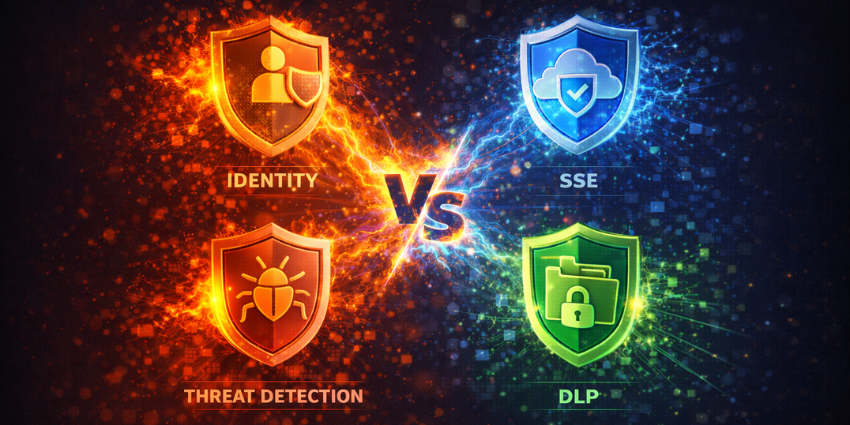
If you are comparing UC security tools, ignore buzzwords and focus on four things that consistently reduce risk:
“Identity, SSE, DLP and Threat Detection.”
1) Identity and Zero Trust UC
Identity is how systems verify who someone is and what they can access. It is the foundation of the Zero Trust security model, which assumes no user or device is trusted by default. NIST describes Zero Trust as shifting defenses away from a static network perimeter, focusing instead on users, assets and resources. CISA’s Zero Trust model also emphasizes identity and context as core pillars.
Compare vendors on how they strengthen:
- MFA (Multi-Factor Authentication): a second check beyond a password.
- SSO (Single Sign-On): one central login via an IdP (Identity Provider).
- Conditional access: block risky sign-ins based on context (device, location, risk).
- Least privilege: users and apps get only the access they need.
In demos, ask what happens when a compromised account tries to join sensitive meetings or message executives.
2) SSE for collaboration
SSE (Security Service Edge) is a cloud-delivered set of security controls that sits between users and cloud services. It is often positioned as the security-focused part of SASE (Secure Access Service Edge), a model for delivering network and security as a cloud service.
SSE offerings typically bundle capabilities such as:
- SWG (Secure Web Gateway): blocks risky web destinations.
- CASB (Cloud Access Security Broker): enforces policy in cloud apps.
- ZTNA (Zero Trust Network Access): secure access without broad network exposure.
Some vendors also include FWaaS (Firewall as a Service).
For SSE for collaboration, prioritize outcomes: consistent policy across UC apps, strong controls on unmanaged devices, and safer external collaboration.
3) DLP for Teams
DLP (Data Loss Prevention) helps stop sensitive information being shared inappropriately. Microsoft states you can use Purview DLP policies to help prevent sensitive information being shared in Teams chats and channels.
Do not accept “we support DLP” as an answer. Ask for live examples, such as warning or blocking when regulated data is pasted into chat, or preventing external sharing of files labelled confidential. Also ask how quickly policies can be tuned, because noisy DLP gets ignored.
4) UC threat detection
UC threat detection means spotting suspicious behavior inside collaboration tools, not just in email. Microsoft has outlined how attackers can abuse Teams features and recommends layered controls across identity, endpoints, data, apps and network security.
Compare whether the tool can detect impersonation-style messages, risky link bursts, and over-permissioned apps, then contain incidents fast. Check SIEM integration too. A SIEM (Security Information and Event Management) tool centralizes security alerts and supports investigations.
Next Steps
The best UC security tools win on proof, not marketing. Compare identity and Zero Trust enforcement, SSE controls for collaboration, DLP for Teams that matches real workflows, and UC threat detection that recognizes chat-based phishing.
That framework keeps buyers focused on measurable risk reduction while keeping collaboration usable.
Interested in enterprise security & compliance? Check out UC Today’s ultimate guide to Security, Compliance, and Risk where we breakdown the trends, tools, and challenges you should look out for.