
Wondering how to use Google Gemini, the tech giant’s latest AI model? You’re in the right place. Initially announced at the I/O developer conference in May 2023, Gemini is finally starting to roll out to a handful of Google products.
For now, you’ll only be able to scratch the surface of what the AI model can do, primarily through Google’s Bard chatbot and the new Pixel 8 Pro smartphone. However, if you’re keen to start experimenting, you can explore Gemini’s capabilities for free in a few ways.
Here’s everything you need to know about how to use Google Gemini in Bard and a couple of other Google services and products.
What is Google Gemini Pro?
Before we look at how to use Google Gemini, it’s worth noting only a couple of versions of the AI model are currently available. In an official launch blog for Google Gemini, the tech giant revealed three variations of the AI model: Pro, Nano, and Ultra.
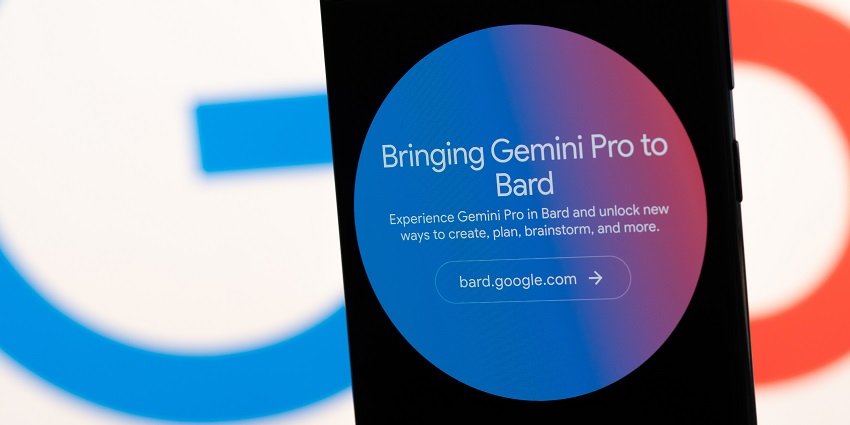
Only a handful of features from Google Gemini Nano and Pro are available. Gemini Pro is the simpler version of Gemini Ultra, powering the Bard chatbot.
For those who don’t know, Bard is Google’s version of chatbot-style generative AI tools like ChatGPT and Microsoft Copilot. In the months ahead, the version of Gemini Pro in Bard will be updated with more multimodal capabilities. However, you can only use text to interact with the bot.
Additionally, Google plans to introduce Gemini Pro (and later Gemini Ultra) to tools like Google Duet, Google Search, and Google Ads.
Though Gemini Pro isn’t as advanced as Ultra, which can achieve “state-of-the-art results” across 30 out of 32 academic LLM benchmarks, it’s still extremely powerful. Pro outperforms GPT-3.5 (the previous version of OpenAI’s ChatGPT model) in 6 out of 8 benchmarks.
Plus, it’s trained to be multimodal from the ground up, even if you can only access the text capabilities for now. The system will be able to interact with video, images, and audio in the coming months.
What Can You Do with Gemini Pro in Bard?
Once you know how to use Google Gemini Pro in Bard, it’s worth remembering you’ll only be able to access limited features for now. Currently, Gemini Pro in Bard is only available in English. However, it is accessible in 170 countries and territories.
Additionally, you can only use Gemini’s text capabilities for now. In the future, Google will be rolling out updates for multimodal interactions with code, audio, images, and video. However, the tech giant hasn’t revealed when these capabilities will be available.
However, the ChatGPT rival still has plenty of value to offer. According to Google, the model has been fine-tuned in Bard to excel at understanding, summarizing, reasoning, coding, and planning. Plus, in blind evaluation with “third-party raters,” Google says Bard is now ranked as the most popular free chatbot available.
Google even got YouTube star Mark Rober to test the Gemini Pro capabilities in Bard to help him craft a huge paper airplane. For now, you can simply interact with Bard like you would ChatGPT to get help with ideas, creativity, and generating content.
In the future, however, you’ll be able to write code, generate AI images with Bard, and even translate languages in seconds. You’ll also be able to take advantage of Gemini’s integration with Google services. For instance, tag @Gmail or @YouTube in your prompts to access extra features.
Remember, Gemini Pro in Bard is still in its experimental stages. It may still be prone to AI hallucinations and other issues. It might be worth brushing up on your prompting skills before you start experimenting with our tips here.
How to Use Google Gemini Pro: Availability and Pricing
For now, Gemini Pro is free to use – at least in Bard. This sets Google apart from other leading LLM providers, like OpenAI. After all, while you can access older versions of ChatGPT for free, the newer models are reserved for paying subscribers.
Aside from accessing Google Gemini in Bard, you can also experiment with the “Nano” version of the AI model in the Google Pixel 8 Pro. Plus, the Google Cloud API includes access to Gemini for developers (starting December 13th, 2023).
Google says additional Gemini experiences and news will be coming in the next few months. So, it’s worth keeping an eye out for the latest updates.
How to Use Google Gemini Pro in Bard
Learning how to use Google Gemini Pro in Bard couldn’t be easier. The model has already been fine-tuned and rolled out into the Bard experience for existing users. According to Google, this is the biggest update to Bard since it was first launched.
If you already have a Google account, using Gemini is as simple as visiting the Bard website on your preferred platform and logging in. Notably, Google won’t allow access to Bard if you don’t have an account. Plus, if you’re using a Workspace account, there may be limitations on what you can access.
To ensure Bard uses Google Gemini Pro, ask, “Are you using Google Gemini Pro?”. Bard should outline all of the specific features it’s currently using for you.
You can also ask Bard for tips on using Gemini Pro for knowledge distillation, multimodal understanding, and code generation. In this experimental stage, you’ll also be able to share feedback with Google to shape the future development of the Bard experience.
How to Use Google Gemini Ultra in Bard Advanced
As mentioned above, Bard currently uses Google Gemini “Pro,” the mid-level version of Google’s AI model. However, the upgraded Gemini experience “Ultra” will be rolling out to numerous Google properties in the coming months. Most of the features will start to appear sometime in 2024.
Right now, Google is working on completing extensive trust and safety checks for Ultra, in line with their “responsible AI” approach. The company plans to launch a “trusted tester program” before Ultra up to more users next year.
When Gemini Ultra is available, it will bring more fine-tuned functionality to Bard and other services, thanks to reinforcement learning from human feedback. According to the Google team, it will also be able to understand more nuanced and complex queries.
Google has shared that “Bard Advanced” will be one of the first ways for people to test Gemini Ultra. However, insights into Bard Advanced, how it works, and any associated pricing are yet to be revealed. We can expect to see more information on this toolkit in 2024.
Other Ways to Use Google Gemini
If you’re wondering how to use Google Gemini outside Bard, your options are limited. Currently, Gemini is rolling out onto Google’s flagship phone, the Pixel 8 Pro. This is the first smartphone created by Google to run on Gemini Nano.
Gemini Nano, a pared-down version of the full Gemini model, is already enhancing two features on the Pixel 8 Pro: Smart Reply and the Recorder function.
The Smart Reply function uses Google Gemini Nano to generate relevant, natural responses to questions and messages. To access it, you’ll need to enable AiCore in the Developer Options part of your Pixel’s Settings. Go to “Settings > Developer Options > AICore Settings,” then tap “Enable.”
Once enabled, you’ll be able to see Gemini Nano-powered suggestions in the Gboard keyboard subscription strip. Currently, this is only available for US customers in WhatsApp, but Google plans to extend it to more regions and apps.
In the Recorder app, Nano can now generate summaries of conversations with a single click. All you need to do to access this feature is open the app and start a recording. Then, tap the “Summary” button to see your transcription.
Developer Options
If you want to know how to use Google Gemini as a developer, there are a couple of options. First, you can apply for a sneak peek of the Nano technology for smartphones here.
Secondly, you can access components of the Gemini Pro experience via the Google AI Studio API or through the Google Cloud Vertex solution. Vertex AI is a full platform offering purpose-built MLOPs tools for ML engineers and data scientists.
AI Studio, on the other hand, is a free, web-based development tool intended for launching and prototyping AI-powered apps. You can access a few basic components of the Gemini model with AI Studio. With Vertex, you can access extra data, security, and governance features.
If you want to tap into Gemini Ultra, you’ll need to wait until Google has finished conducting its safety checks.
Staying Up to Date with the Gemini Roadmap
Now you know how to use Google Gemini in all of its currently available forms. However, the opportunity to experiment with Gemini will continue to expand in the months ahead. It’s worth keeping a close eye on Google’s news channels and blogs for more updates.
Plus, we’ll continue to provide insights into how to enable and use Google Gemini alongside other AI-powered solutions from the tech giant here.
Remember, if you want to shape what this AI model can do in the future, it’s worth sharing your feedback with Google.