
“We’re down the corridor…second meeting room on the right. Don’t worry about the conferencing kit, it’s all plug and play.”
We’ve all heard it many times, but how often does that turn out to really be the case?
And how often have we had to make that call of shame to the IT guy or girl to hustle along and get us up and running?
In the hybrid working world in which many employees bring their own devices into the office, the answers to those questions can significantly impact the virtual meeting participant experience.
Light-touch and genuinely seamless, and the experience is a wholly satisfying (and productive) one.
Complicated and clunky, and, well, we’ve all been there..!
Thankfully, as Bring Your Own Device (BYOD) increases in popularity, smart technology partners are getting hugely better at closing the gap between a somewhat disingenuous boast and the actual reality.
In fact, maybe ‘plug and play’ has always been over-simplistic marketing-speak.
Whatever is the case, the more discerning hybrid worker is way past the immediately-post-pandemic phase of somehow following their nose when it comes to accessing a virtual meeting.
They are way past trying different cables in different ports of their laptop. Way past frenziedly downloading new software with seconds to go before the most important collaboration of their week is due to start. And way past hurriedly learning off the cuff as yet another different conferencing system demands yet another different sign-on.
Organisations with the happiest, least-frazzled employees are those which equip their offices and meeting rooms with technology that genuinely supports the BYOD movement.
As always, choosing the right provider is paramount.
“The majority of employees now consider their own laptop to be their office – not a walled space but the technology they take with them everywhere,” says Josh Blalock, Chief Video Evangelist at global audio and video solutions provider Jabra, whose range of meeting room solutions enable super-simple connection and collaboration.
“People want to walk into those rooms with their laptops and simply plug in and go. Maybe they’re on Microsoft Teams, maybe they’re on Zoom, maybe it’s Google Meet or Go to Meeting – whatever platform is hosting their meeting, they want easy access using the device with which they feel most comfortable.”
The same is the case when working from home or elsewhere.
Users want their camera, microphone, headset and speaker hardware sets to connect seamlessly with their own devices and the software within them.
In short – whether in the office or on the move – they want high-quality functionality and a frictionless virtual meeting experience.
“The reality for us all is that we are working in all kinds of environments and in all kinds of locations but, wherever we are, we want to be seen and heard clearly,” says Blalock.
“That means having the right audio and video tools to complement the functionality of our laptop or our phone, is super-important.”
Brilliantly, Jabra offers hybrid workers its ‘Meet Anywhere’ package – a PanaCast video conferencing camera with 180° panoramic-4K view, premium Speak 750 speakerphone, and multi-position table stand; all in a neat, portable carry case, and compatible with all major unified communications platforms.
Paired with users’ own devices, it takes BYOD to a whole new level.
“Using their own laptop – whether in an office or elsewhere – provides users with device familiarity and, in turn, gives them confidence with which to perform to their best when in a meeting,” says Blalock.
“People know their own keyboards and their own desktop shortcuts and are used to the feel of their own mouse. Also, when used to using premium videoconferencing hardware when out of the office, people do not want to compromise whenever they return.”
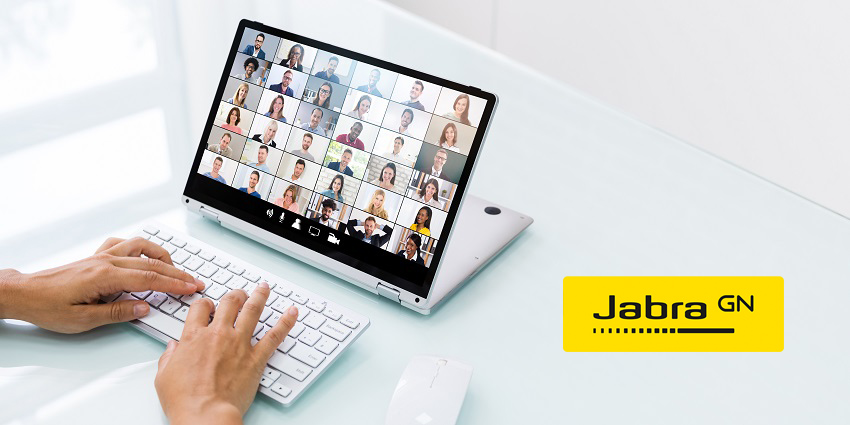
Indeed, a BYOD meeting room has all the technology needed to help users host a successful meeting from their laptop.
In Jabra’s case, that means users connecting the PanaCast 50 Intelligent Video Bar to the meeting room with their laptop using a USB cable and to the display using HDMI.
They then simply join their meeting using their personal account for their preferred UC platform.
“Enjoying that premium video experience regardless of location is key because users do not need to change anything about the way they typically work,” says Blalock.
“That unlocks their ability to be fully present and engaged in their meeting and, ultimately, more productive.”
In the case of Jabra solutions, it couldn’t be easier – even for non-technologists.
No matter the communications platform upon which a meeting is being hosted, portable or in-room kit just works.
“It can be as simple as pushing one button on one device in the middle of the table,” says Blalock.
“Those who struggle with technology are not expected to do anything new; they simply connect with their own devices that they are very familiar with, and they are off to the races.”
Now that really does sound like plug and play…!