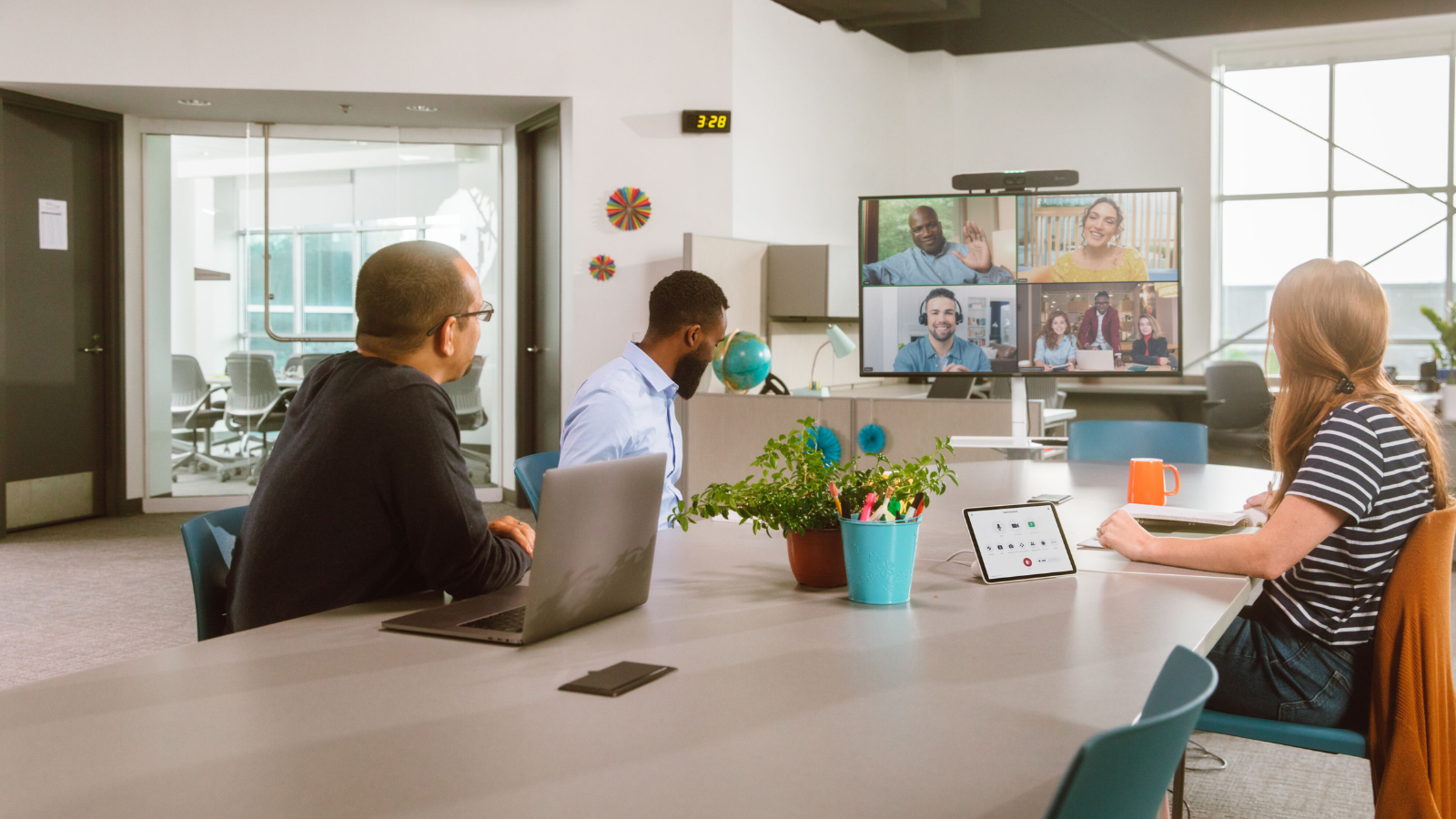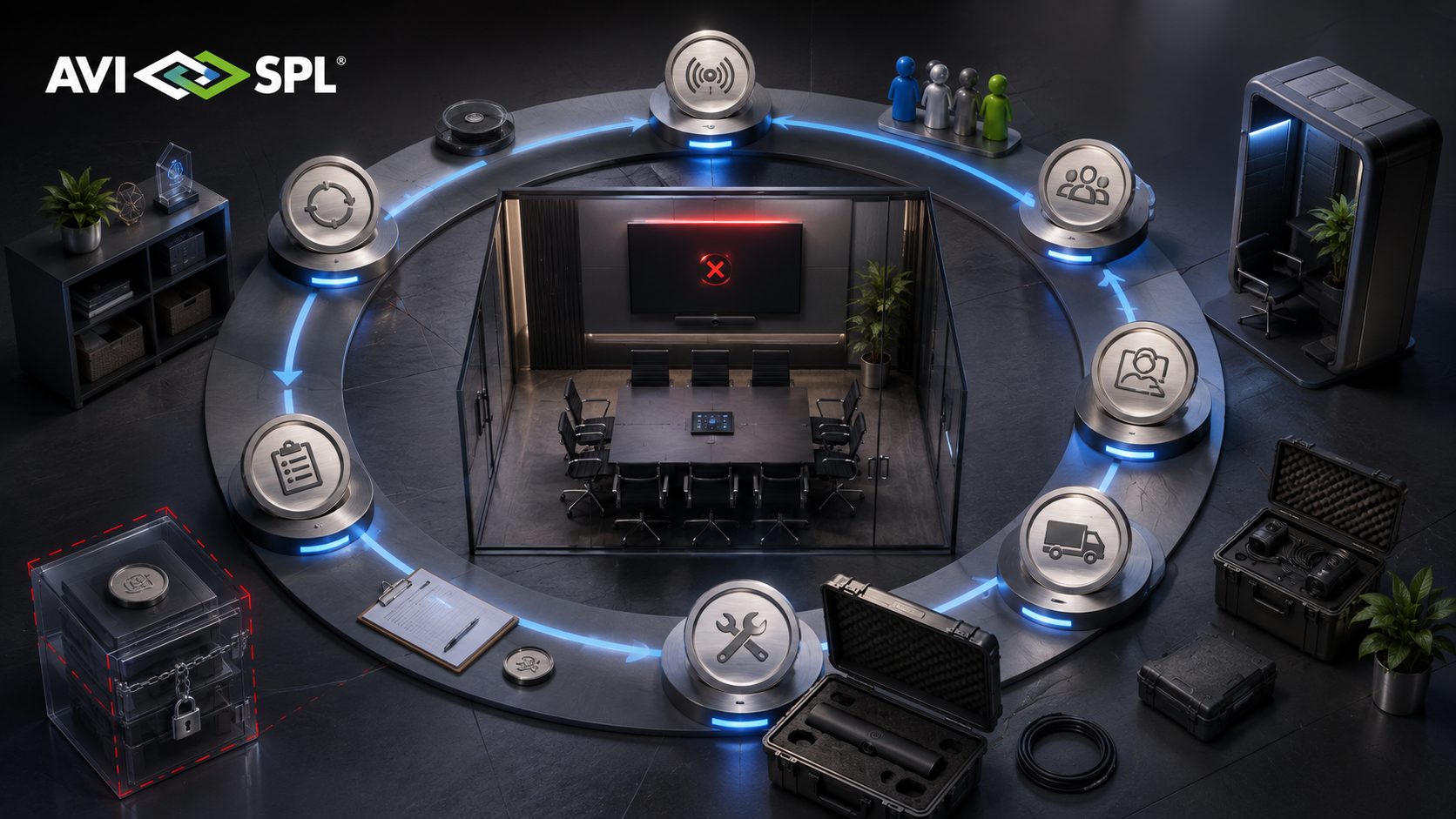

The office is not dead. But the “dumb” meeting room is.
Hybrid work is now a permanent operating model. People split their time between home, office, and shared spaces – often working across locations, platforms, and time zones.
Yet many offices still rely on meeting rooms that feel unreliable, awkward, or behind what employees already have at home. That gap is now one of the biggest barriers to productive, equitable hybrid work.
As Roopam Jain, VP and Growth Expert at Frost & Sullivan, notes:
“The market is witnessing an unprecedented wave of innovation, where AI and data-driven insights are at the forefront.”
If office technology does not feel better than home technology, employees choose the path of least friction. Meetings become less inclusive. Productivity drops. And leaders struggle to justify office investment without clear data.
This guide takes a people-first view of devices and workspace tech in 2026, covering modern meeting room systems, personal collaboration devices, and office intelligence tools that help organizations improve experience, adoption, and ROI.
Quick Navigation
What Are the Benefits of Modern Devices and Workspace Tech?
Challenges to Expect with Insufficient Workplace Tech
What Is the Best Workplace Tech for Hybrid Work in 2026?
What to Look for in Modern Workplace Tech
The “Me” Space: Personal Devices That Make Hybrid Work Feel Consistent
The “We” Space: Modern Meeting Room Technology Built for Meeting Equity
The “Data” Layer: Office Intelligence Tools That Prove Space ROI
The Interoperability Challenge: Hybrid Office Technology in a Mixed Platform World
Displays and Visual Collaboration: The Shared Screen Still Drives the Meeting
The 2026 Hardware Refresh Checklist
Why Hybrid Office Technology Must Start With People, Not Hardware
Hybrid workplace decisions often fail when they begin with a shopping list.
A better approach is to start with the human experience, then define the operating model, and only then select the technology that fits.
People: What do employees and customers need to feel included, clear, and confident in meetings?
Process: How do teams book rooms, join calls, and work across locations without friction?
Technology: Which devices, platforms, and integrations make the experience consistent and scalable?
What Are the Benefits of Modern Devices and Workspace Tech?
The right workplace technology does more than “support hybrid.” It makes work smoother, more inclusive, and more reliable for everyone involved. Key benefits include:
- Better meeting quality and participation, especially for remote attendees
- Less friction and wasted time, with faster joins and fewer setup issues
- More consistent employee experience across home, office, and shared spaces
- Reduced IT support burden through standardisation and easier management
- Clearer ROI on office investment, using real usage data to guide decisions
Challenges to Expect with Insufficient Workplace Tech
Even great tools fail if the experience is inconsistent or difficult to use. Common challenges include:
- Inconsistent room setups that make every meeting feel different
- Audio and acoustics problems that hurt clarity more than video ever will
- Mixed-platform complexity (Teams, Zoom, BYOD, guest meetings)
- Low adoption when booking, joining, or room controls feel confusing
- Space usage guesswork, where leaders don’t have reliable data to plan around
What is the Best Workplace Tech for Hybrid Work in 2026?
Short answer: The best workplace tech for hybrid work in 2026 is the tech that disappears into the background.
It makes joining a meeting feel effortless, improves clarity and inclusion, creates consistency across locations and reduces support tickets. Also, it generates the data leaders need to improve the workplace over time.
In practice, that means investing in three connected layers:
- Personal devices that help individuals show up clearly, wherever they work
- Meeting room systems designed for meeting equity technology, not just “room coverage”
- Workplace management and analytics through office intelligence tools that prove ROI and guide space strategy
“If you only upgrade one layer, hybrid friction will show up elsewhere. The goal is an end-to-end experience that works across home, office, and mixed platform meetings.”
Read more on the trends defining smart workspaces in 2026
Related Articles:
Office Technology Trends Defining 2026
The Smart Workspace Vendors to Know About in 2026
Top Workspace Tech Events to Watch in 2026
What to Look for in Modern Workplace Tech
The best workspace technology in 2026 is technology users barely notice and IT can confidently scale. Reliable audio and fast, friction-free meeting starts set the baseline for productive hybrid collaboration.
From there, meeting equity features are essential, ensuring remote participants can see, hear, and engage as naturally as those in the room. Consistency across rooms and locations matters more than standout showcase spaces, because predictable experiences drive adoption.
For IT and workplace leaders, modern solutions must support simple deployment, remote management at scale, and actionable workplace analytics that turn usage data into smarter space and investment decisions.
The “Me” Space: Personal Devices That Make Hybrid Work Feel Consistent
Hybrid work begins with the individual setup. Even the best conference room cannot save a meeting if half the team sounds muffled, looks poorly lit, or constantly struggles with connections.
A strong baseline personal kit reduces friction, boosts professionalism, and improves meeting outcomes.
What Devices Do Hybrid Employees Need to Work Effectively From Home and Office?
Most hybrid employees benefit from a standard set of core tools:
- A reliable headset or speakerphone that keeps voice clear in noisy environments
- A quality webcam that delivers a credible video presence
- A monitor setup that supports focused work and multitasking
- A docking station that makes setup fast and predictable
- Consistent peripherals across locations so work does not feel like a downgrade
This is not about luxury. It is about reducing daily interruptions and making collaboration feel natural.
Headsets and Audio: From “Can You Hear Me?” to AI Clarity
Audio remains the number one driver of meeting quality. In 2026, the baseline expectation goes well beyond volume – it’s about clarity, comfort, and intelligent noise control.
For employees, look for features such as AI noise suppression, voice isolation, and all-day comfort for long calls. For organizations, standardizing a small set of approved devices helps reduce variability, simplify support, and improve the overall meeting experience.
Popular tier-1 brands and product lines in this category include Jabra, Logitech, Poly, Bose, and Sennheiser, many of which offer:
- High-quality microphones with advanced noise reduction
- Active noise canceling for busy environments
- Ergonomic designs suitable for extended use
- Enterprise-grade reliability and support
The “We” Space: Modern Meeting Room Technology Built for Meeting Equity
Meeting rooms are no longer just rooms. They are shared collaboration environments for people in the office and people elsewhere.
The biggest change in modern meeting room technology is the focus on the remote experience.
If remote participants cannot see and hear well, they contribute less. They feel excluded. Meetings slow down. Decisions become less aligned.
That is why meeting equity technology has become a central design goal for hybrid office technology.
Jitesh Gera, Research Manager within IDC’s UC&C continuous information service explains:
Over the past few years, hybrid working norms and a rapidly rising interest in AI powered business communications have started to push organizations to redesign their workplaces and video-enable their office spaces for effective collaboration outcomes.
Want to learn more about how to attract hybrid workers back into the office? Read here
How Do Companies Build Meeting Rooms That Support Meeting Equity?
Organizations build meeting rooms that support meeting equity by prioritizing three outcomes:
- Remote attendees can see in-room participants clearly, as people, not silhouettes
- Remote attendees can follow the discussion naturally, without straining to hear
- Everyone can join and participate without tech friction or “room reset” delays
Those outcomes rely on choices across camera design, microphone coverage, speaker placement, and simple room control. Effective AV systems are key for ensuring meeting equity – read more on this here.
Two Video Bars to Consider
Huddle spaces are often the most used collaboration rooms in a hybrid workplace. They are also where poor tech becomes most visible because meetings are frequent and informal.
All-in-one video bars have grown in popularity because they combine camera, mics, and speakers into a single device, making deployment and support more scalable.
Two commonly evaluated options in this space include:
- Logitech Rally Bar family devices, often positioned as flexible, platform-friendly room bars. UC Today has compared models and room-fit considerations in pieces like Logitech Rally Bar Mini vs MeetUp.
- Cisco Room Bar, which Cisco positions as a compact collaboration device for huddle and small-to-medium rooms. (Webex)
The right choice depends on your platform mix, device management strategy, room sizes, and support model.
Medium and Large Rooms: Moving Beyond the “Wide Shot”
Bigger rooms create a different challenge. One camera view often makes everyone look small and distant. That is a fast path to meeting inequity.
Larger spaces increasingly use multi-camera approaches or center-of-table cameras so remote participants can see faces more naturally and follow the conversation without guessing who is speaking.
AI Framing and “Director” Experiences: Equity Through Visibility
AI-driven framing features are becoming a practical upgrade, not a novelty. When cameras can automatically highlight speakers and present clearer individual views, remote participants gain the social cues that drive real collaboration.
Many vendors and platforms are pushing this direction because it solves a human problem: being able to read the room.
A platform to consider when investing in AI framing is Cloud IntelliFrame, a Microsoft Teams feature that uses AI to improve how in-room participants appear to remote attendees.
If you need more guidance on upgrading your workplace tech, and the best vendors to invest in to do so, read our article.
The “Data” Layer: Office Intelligence Tools That Prove Space ROI
Hybrid work made office space harder to predict.
Teams no longer show up in fixed patterns. Rooms get booked “just in case.” Some offices are busy on Tuesdays and quiet on Fridays. Without visibility, leaders overbuild, underuse, or invest in the wrong room types.
That is why office intelligence tools are now part of the hybrid workplace conversation.
The Forst & Sullivan meeting room video conferencing deviced report (2024) states that:
Analytics on space and technology utilization enable real estate optimization, office redesign, ROI evaluation on technologies, and planning future investments.
What Office Technology Improves Space Utilization and Proves ROI?
The most effective office technology improves space utilization and proves ROI by combining three capabilities:
- Room and desk booking that reflects how people actually work
- Usage signals such as check-in and occupancy data
- Analytics that translate usage into decisions, such as resizing rooms or changing layouts
This is where workplace tech becomes a CFO and COO topic, not just an IT topic.
Ending “Zombie Meetings” With Better Scheduling
A common waste pattern in hybrid offices is the booked-but-empty meeting room. These “zombie meetings” happen when participants switch to virtual, plans change, or meetings get cancelled informally — but the room remains reserved.
The result is frustration, wasted space, and inaccurate availability for teams who actually need rooms.
The fix is usually not cultural messaging alone — it’s better scheduling infrastructure. Clear booking rules, check-in workflows, and integrated scheduling panels can dramatically reduce this waste and make room utilization far more accurate.
Top Options To Consider: Tier 1 Meeting Room Platforms
For most organizations, the best approach is to standardize around a Tier 1 meeting room ecosystem that combines room scheduling, video conferencing, and workplace coordination:
- Microsoft Teams Rooms / Microsoft Places for organizations operating primarily in the Microsoft ecosystem, offering scheduling intelligence and workplace coordination capabilities.
- Zoom Rooms for businesses prioritizing simplicity, strong room experience, and consistent hybrid meeting workflows across offices.
- Cisco Webex Rooms for enterprises that want deep collaboration integration, strong security, and end-to-end meeting room infrastructure.
- Google Meet (Room Kits / Google Workspace) for teams built around Google Workspace that want native calendar + meeting room coordination.
These platforms are widely adopted at enterprise scale and are often paired with dedicated scheduling displays, check-in logic, and occupancy signals to prevent “ghost bookings” from blocking rooms unnecessarily.
Occupancy Analytics: Moving From Scheduled to Actual
Booking data tells you what was planned. Occupancy signals help you understand what really happened.
Even basic occupancy insights can help answer high-value questions:
Are large rooms being used by small groups? Is your huddle room always full? Do your employees avoid certain spaces due to poor technology?
The goal is not surveillance. It is design improvement. Better data supports better decisions, better employee experiences, and better capital allocation.
Environmental Tech: Comfort Is a Utilization Strategy
Comfort is not cosmetic. If meeting rooms are too warm, poorly lit, or stuffy, people avoid them.
Air quality, lighting, and “healthy building” signals increasingly factor into employee satisfaction and usage patterns. In hybrid offices, experience directly impacts attendance behavior.
The Interoperability Challenge: Hybrid Office Technology in a Mixed Platform World
Very few organizations are truly single-platform.
Many teams use Microsoft Teams for internal collaboration, Zoom for customer calls, and Cisco or other vendors for room systems. Without interoperability, meeting rooms become fragile.
A modern room should support mixed meetings without needing a technician in the room.
BYOD vs Room-Native: Wired Simplicity Or Wireless Convenience?
Bring Your Own Device setups can work well when they are designed for consistency.
Wired BYOD using USB-C often delivers reliability and quality. Wireless casting can be convenient, but it needs strong compatibility and a clear support model to avoid user frustration.
The best choice depends on your users. If a space is used heavily by guests and fast-moving teams, reliability usually wins.
Zoom Rooms Controller App and Simple Room Control
Room control matters because meeting starts are where momentum is lost.
Zoom environments often use tools like the Zoom Rooms Controller app, which allows users to control a Zoom Room from a tablet or phone. The benefit is not the app itself. It is the reduction in start-of-meeting confusion.
Displays and Visual Collaboration: The Shared Screen Still Drives the Meeting
Hybrid meetings are not only about video. They are about shared content.
When the display experience is poor, collaboration suffers. People cannot read shared documents. Whiteboarding feels clumsy. Remote participants miss context.
This is why display upgrades often deliver immediate impact.
Top Options to Consider: Meeting Room Display Tech
A few commonly evaluated options include:
- Microsoft Surface Hub 2S for interactive collaboration and digital whiteboarding
- Avocor meeting room display technology for interactive and shared workspace use cases
- Hikvision LED video walls and interactive flat panel displays for large spaces and high-visibility environments
The “best” display is the one that matches room size, seating distance, and collaboration style. For decision-makers, the key is to avoid under-sizing displays in rooms where shared content is central to the meeting.
What Are the Must-Have Upgrades for Modern Meeting Rooms in 2026?
Most meeting rooms do not need everything. They need the right improvements for the way people use them.
So, if you want a practical shortlist, these upgrades often deliver the highest impact:
- AI-enabled framing or speaker-aware views that improve visibility for remote participants
- Reliable, room-appropriate microphone coverage for consistent speech clarity
- All-in-one video bars in huddle rooms to standardize experience at scale
- Simple room control and one-touch join to reduce meeting delays
- Scheduling and check-in practices that reduce booked-but-empty rooms
- Usage analytics that guide space strategy and prove ROI
In other words, focus on meeting equity technology first, then the workflow, then the wow factor. This will also more likely attract your hybrid workers back into the office. Read more on this here.
The 2026 Hardware Refresh Checklist
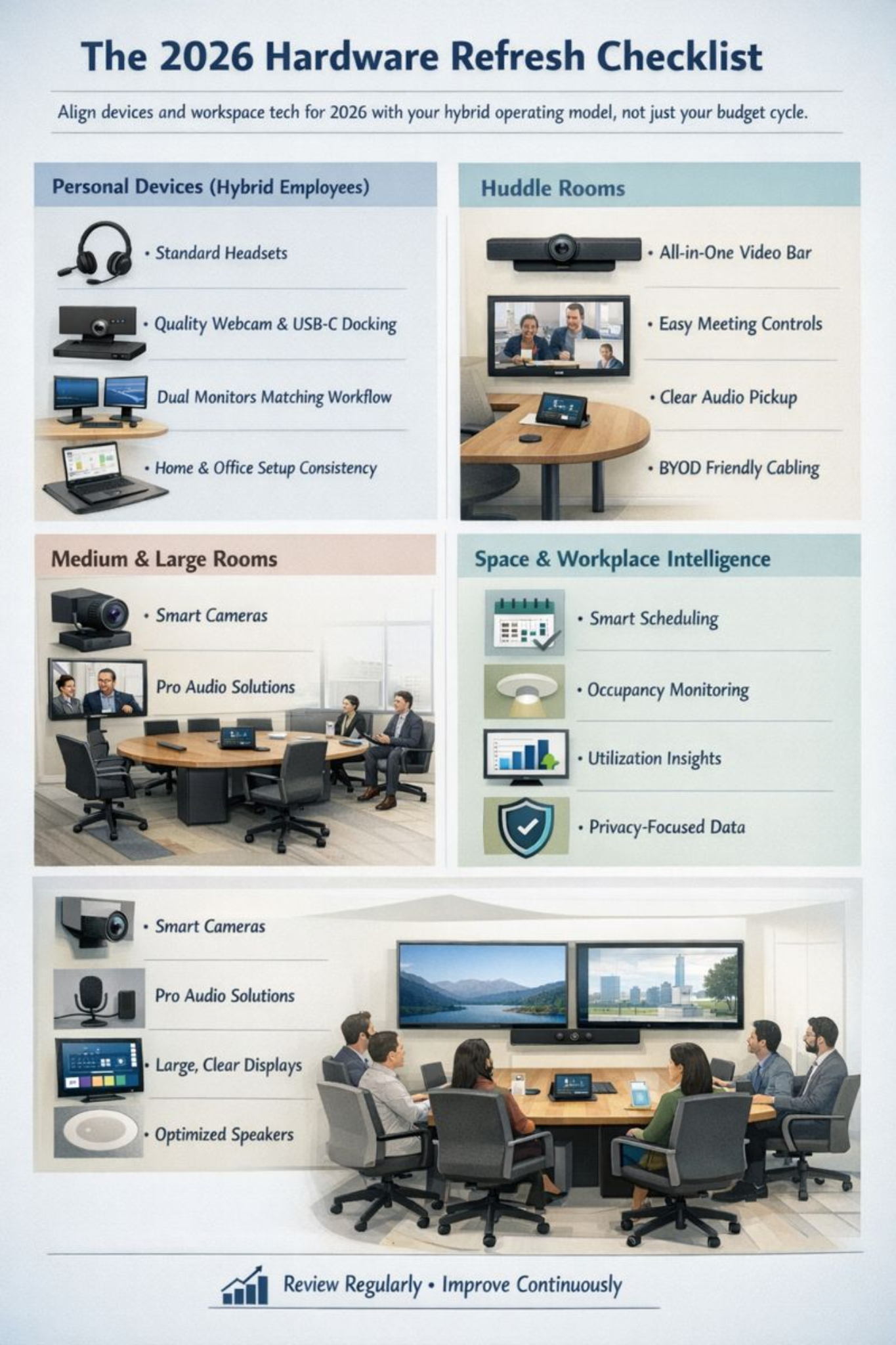
A Practical Path to Decision: Choosing Tools Without Overbuying
When buyers evaluate hybrid office technology, the biggest risk is mismatching tools to the real workplace.
A simpler approach is to define:
People outcomes: What does a good meeting feel like for remote and in-room participants?
Process standards: What is the minimum experience in every room type?
Technology fit: Which vendors and platforms align with your environment and support model?
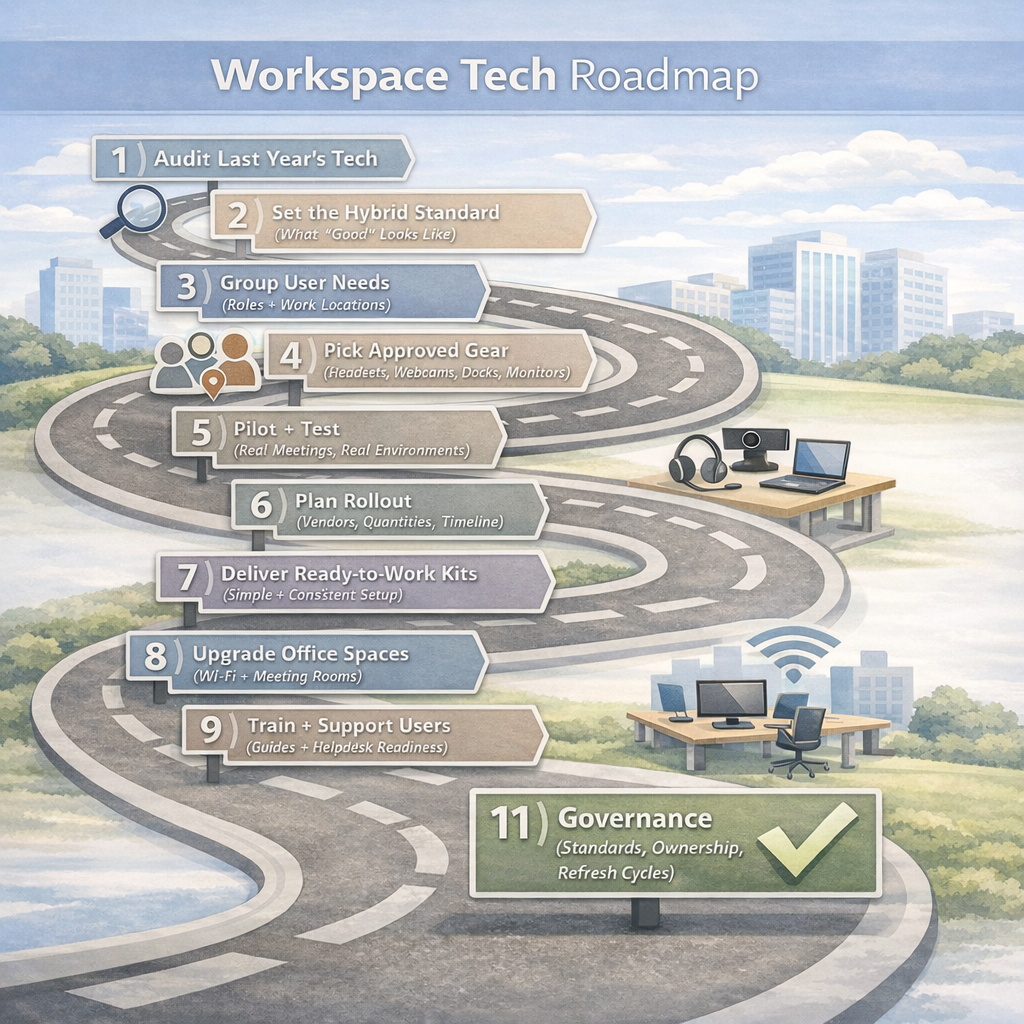
Here’s a proven rollout roadmap teams can follow to standardise workspace tech and make hybrid upgrades scalable:
Final Take: Lead With People, End With Technology
The future of work is hybrid. The question is whether it feels fair, effortless, and worth showing up for.
The best modern meeting room technology improves the experience for everyone, not just the people in the room. The best office intelligence tools help leaders invest confidently, with data that reflects real behavior. And the best devices help individuals show up clearly, wherever they are.
When people, process, and technology align, the workplace starts to earn the commute.
Interested to know more? Read more of our coverage on devices and workspace tech here.