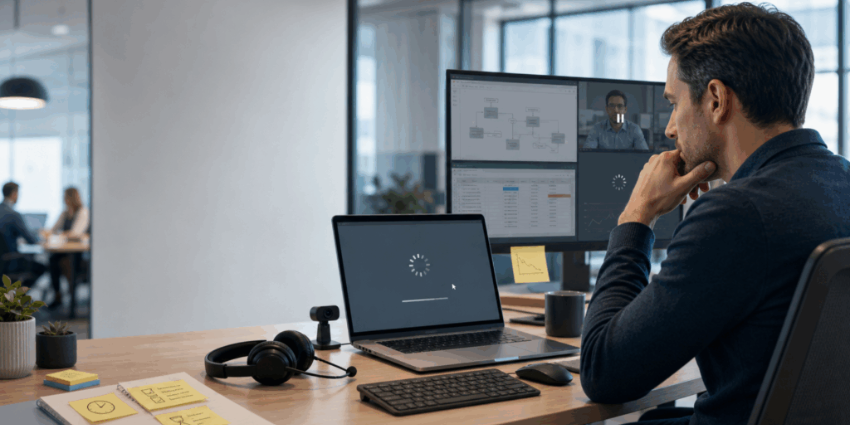

When everyday tools lag, crash, or act unreliable, people adjust. They stop trying “the hard way.” They avoid switching apps. They delay updates. They choose simpler work, not better work. That is why digital workplace productivity drivers can look healthy on paper while output feels sluggish in real life.
Here’s the kicker: traditional IT reporting rarely spots this. You can hit uptime targets and still deliver a bad enterprise endpoint experience.
Without workplace device performance analytics, leaders do not see the small frictions that compound into “this is just how work is now.” That is why a modern device performance strategy is not only about tickets and specs. It is about behavior, momentum, and culture.
Read More
- Are Personal Devices Replacing Meeting Rooms in 2026?
- Hybrid Office Technology Trends to Watch in 2026
- Five Workspace Technology Use Cases That Deliver ROI
What Happens When Devices Feel “Slightly Bad” Every Day?
“Slightly bad” tech is the most dangerous kind.
A laptop that boots slowly. A headset that cuts out once per call. A webcam that needs a reboot. None of this looks like an outage. Yet it rewires work habits.
Over time, employees learn three rules:
First, do fewer context switches. They keep fewer tabs open. They avoid jumping between tools.
Second, avoid tasks that trigger lag. They skip video, cancel screen sharing and postpone reporting.
Third, lower expectations. They stop escalating problems because “IT can’t fix it.”
That last one is brutal. It turns performance issues into a cultural norm.
DEX vendors define digital employee experience as the combined reality of device performance, app experience, network quality, and user sentiment. In other words, “the tech feeling” matters as much as the tech itself.
How Do Slow Workplace Devices Change Employee Behavior Over Time?
People do not fight friction forever. They route around it.
In practical terms, slow devices create “micro-decisions” all day:
- “I won’t turn my camera on. It makes my laptop heat up.”
- “I’ll wait to send this file. Teams is acting weird.”
- “I’ll do this later. My machine needs a restart.”
Soon, the employee is not only slower. They are less ambitious.
This is also why hybrid work can feel uneven. Audio or device issues can silence people without anyone intending it. UC Today has pointed out how meeting technology quality shapes participation and inclusion.
What Performance Thresholds Trigger Productivity Decline?
There is no single magic number. There is a pattern.
Productivity drops when delays feel unpredictable. A slow boot is annoying. Random freezes feel unsafe. That is when employees change behavior.
This is why endpoint analytics tooling matters. Microsoft’s Endpoint Analytics focuses on the user’s path from “power on to productivity,” and it tracks areas like startup times and app reliability.
Once employees expect instability, they begin to “work around” their tools. That is the moment your organization starts paying a behavioral tax.
Why Do Employees Adapt to Inefficient Technology Instead of Fixing It?
Because friction becomes normalized.
Most employees also do not want to be “that person” who complains again. If last time brought no fix, they learn the safest move is silence.
There is also a trust gap. If IT reports look fine, employees assume the problem is them.
That creates a second problem: the organization loses visibility. The experience gets worse, but the metrics get quieter.
Where Do Endpoint Issues Hide Inside Productivity Metrics?
They hide in the gaps between systems.
Most productivity dashboards measure output, not friction. They track collaboration usage, not device struggle. They show meeting counts, not “minutes wasted joining.”
Some platforms try to bridge this. Endpoint analytics can surface device performance, startup delays, and app reliability signals that correlate with user experience.
Meanwhile, UC Today’s workspace coverage keeps pointing back to the same theme: workplace tech only drives ROI when it supports real behavior and real outcomes.
So, if productivity stagnates despite investment, look for hidden friction first. Your people may have simply learned to work smaller.
Want a quick example? Read how workplace audio quality can quietly decide who participates and who disappears in hybrid meetings. Workplace Audio Technology is the Real Reason Hybrid Work Feels Unbalanced
How Should Organizations Measure Device-Driven Productivity Loss?
Treat it like a business metric, not an IT footnote.
A practical measurement approach includes:
- Experience signals: startup experience, app reliability, device health, peripheral stability. Microsoft Endpoint Analytics is designed to make these visible.
- Sentiment signals: short pulse questions that ask, “Did your tech slow you down today?” This matches how DEX frameworks blend performance and sentiment.
- Behavior signals: camera-off rates, meeting rejoin patterns, repeated “quick calls,” reduced screen sharing, and avoidance of richer workflows.
Then connect it to outcomes:
- First-contact resolution for internal IT support
- Meeting time lost to setup and recovery
- Rework caused by flaky devices or corrupted files
- Employee time-to-complete for repeatable tasks
Once you can see friction, you can fix it. Even better, you can prevent it.
Conclusion: Device Performance Is a Behavioral Driver, Not a Hardware Detail
Underperforming devices do not only slow work. They shape how people choose to work.
When lag and instability become normal, employees reduce effort. They avoid complexity. They stop pushing systems to deliver more value. That is how organizations end up with “good tools” and flat productivity.
The fix is not only a refresh cycle. It is visibility, accountability, and a device performance strategy that treats endpoint experience as a real productivity lever.
Next, zoom out and compare how your spaces, devices, and meeting tech should work together in 2026: Hybrid Meeting Room Technology in 2026.
FAQs
What is endpoint performance impact?
Endpoint performance impact is how device slowdowns and instability reduce output over time. It also changes employee behavior and expectations.
What is workplace device performance analytics?
Workplace device performance analytics is the measurement of device health, startup speed, and app reliability. It helps IT spot friction that harms productivity.
What are digital workplace productivity drivers?
Digital workplace productivity drivers include tools, workflows, and environments that help people complete work faster. Hidden device friction can weaken them without obvious outages.
What does enterprise endpoint experience mean?
Enterprise endpoint experience is the real day-to-day experience employees have with devices, apps, and connectivity. Many DEX approaches include performance plus sentiment.
What should a device performance strategy include?
A device performance strategy should include experience metrics, proactive remediation, and user sentiment. It should also link device health to business outcomes like time saved.