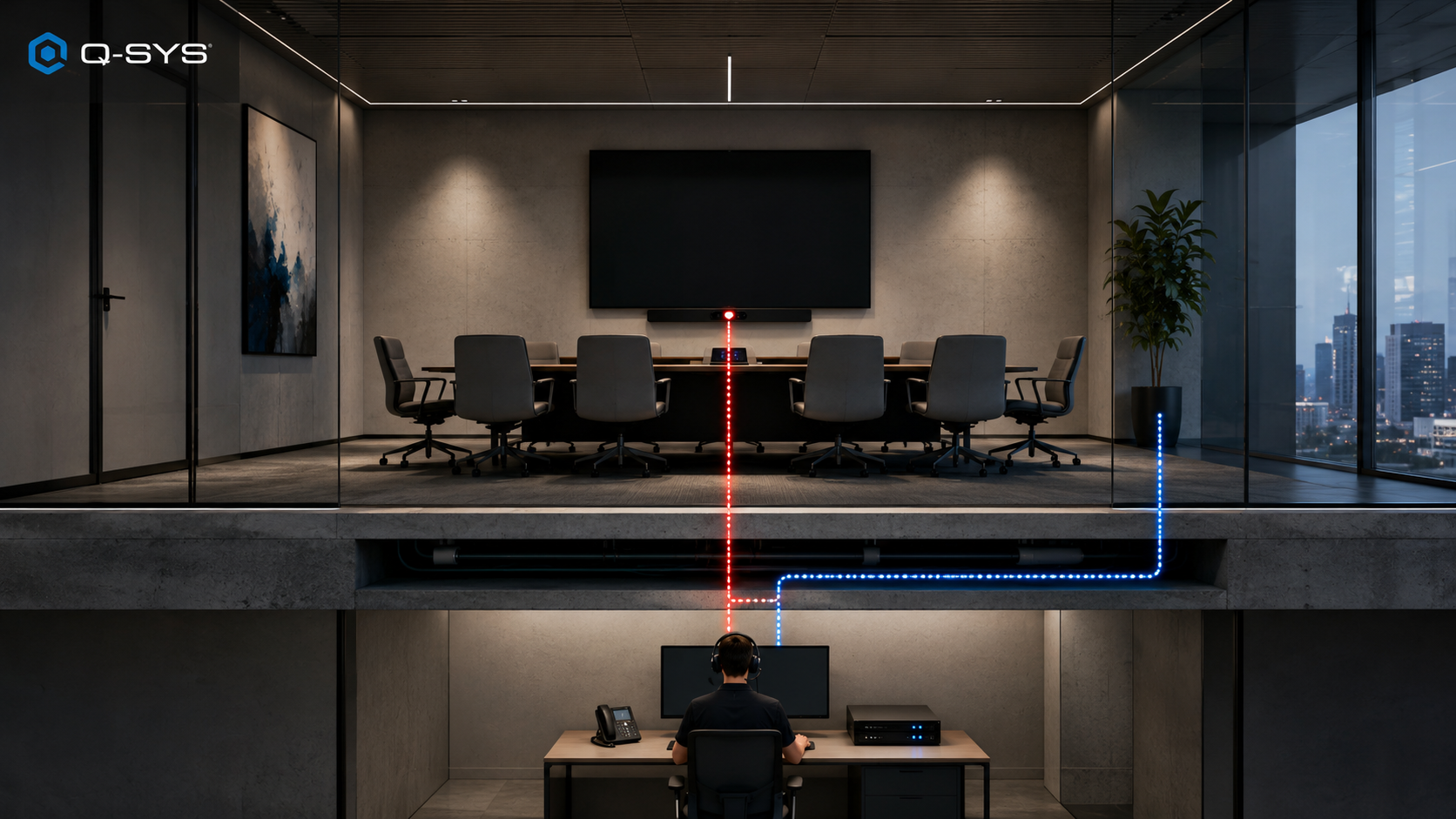

Q-SYS Reflect, the current enterprise-grade management system from QSC gives AV and IT Teams a powerful operational layer for Q-SYS estates. With recent upgrades to ServiceNow and Microsoft tools, is it becoming the complete toolkit for workplace management?
That’s a worthwhile question now that AV is shifting from project revenue focus towards ongoing service. AVIXA’s 2026 channel survey, published by Market Intelligence Manager Erin Budnik on February 25, found that services produced 38% of 2025 channel revenue, ahead of hardware at 36%.
Q-SYS is aiming Reflect at that operating layer. The question for teams is how deep do the current integrations actually go, and how useful are they from a workplace management perspective?
Related Articles
TL;DR: How Deep Does Q-SYS Reflect Integration Actually Go?
- Q-SYS Reflect is included with every Q-SYS system; Reflect Plus is listed at $20.90 per system per month in the US, with one system covering one processor and its connected peripherals.
- The ServiceNow app uses structured Core, system, event, and audit records. Its scheduled loading job is disabled by default and runs once daily after activation unless an administrator changes it.
- April and May 2026 updates added Microsoft 365 room and booking data, Usage Analytics, a Licensing Portal, business-hours configuration, and queued RoomSuite firmware updates with new API endpoints.
- Q-SYS says Reflect can feed Microsoft Places. Microsoft’s partner page, last updated June 15, lists Crestron, Haltian, and VergeSense for data integration and notes that its list isn’t exhaustive, making this an important connection to validate live.
What is Q-SYS Reflect Enterprise Manager, and Reflect Plus?
Q-SYS Reflect sits above the estate as its cloud monitoring, management, and analytics layer. Its included tier tracks health, alerts, inventory, maps, webhooks, APIs, SSO, and security patches by system. Reflect Plus adds longer-term reliability data, room-use insights, remote support, presets, and selected firmware jobs across multiple devices.
Q-SYS Reflect answers the first question an AV support team asks: what broke, and where? It watches Q-SYS systems and supported third-party endpoints, reports health changes, sends alerts, and connects each fault to the right room or site. Inventory, maps, webhooks, APIs, SSO, and security updates are included as well.
That saves time before anybody starts troubleshooting. The help desk can see that a Core has dropped in a particular building, identify the systems connected to it, and send the job to the right person. There’s less chasing users for room numbers and less hunting through separate portals to work out what belongs where.
Reflect Plus goes deeper. It adds historical reliability data, usage analytics, remote support, saved presets, and selected bulk firmware tools. A technician can look back at recurring faults instead of judging a room from its current status. They may also be able to investigate or restore service without traveling to the site.
The usage data has value beyond support. Teams can compare bookings with occupancy, find rooms that sit empty, and see which heavily used spaces keep failing. That gives workplace and AV leaders better evidence for refresh budgets, room redesigns, and maintenance priorities.
Q-SYS includes Reflect with each system and offers a 90-day Reflect Plus trial. Listed US pricing for Plus starts at $20.90 per system per month.
Key Takeaways
- Reflect helps teams locate faults and route support work faster.
- Reflect Plus adds the history and remote tools needed for harder problems.
- Its analytics can also influence maintenance, room planning, and refresh decisions.
Which Q-SYS Reflect Integrations Are Native, API-Based, Or Still Emerging?
Q-SYS Reflect connects AV operations to the tools already used by IT and workplace teams. Native monitoring gives the deepest control. From the new releases, ServiceNow turns faults into service work. Microsoft 365 adds booking context. APIs, webhooks, partner components, and SSO extend that data across the enterprise.
| Layer | Connection and buyer value |
|---|---|
| Q-SYS estate | Native Core-to-cloud path. Combines health, alerts, inventory, history, presets, and remote tools, giving Q-SYS-led estates the quickest route from fault to diagnosis. |
| ServiceNow | Scoped app using the Reflect API. Loads Core, system, event, and audit records into ServiceNow for incident creation, reporting, assignment, and escalation. |
| Microsoft 365 | Authorized room and calendar sync. Imports names, capacity, and bookings into Space Manager, removing duplicate records and adding context to utilization analysis. Resync runs every 24 hours. |
| Teams Rooms Pro Management | Parallel Microsoft surface. Microsoft handles Teams-specific administration; Reflect adds broader room, device, reliability, and usage data. |
| Microsoft Places | Emerging data partnership. Intended to feed Q-SYS and verified partner signals into Places for booking, space planning, and workplace optimization. Public technical detail remains limited. |
| Third-party AV | Plugins, PartnerLink, or Monitoring Proxy. Brings partner-device inventory, status, and events into Reflect, although firmware, diagnostics, and recovery depth vary. |
| Reflect API | Token-based API included with both tiers. Sends status and event data into SolarWinds, MSP platforms, building-management tools, or custom reports. |
| Alerts | Email, Microsoft Teams, Slack, or generic webhook. Delivers faults in the channels support staff already watch. |
| Corporate identity | OIDC or SAML 2.0 federation. Connects Reflect to enterprise SSO and existing access policies. |
Key Takeaways
- ServiceNow and Microsoft 365 currently offer the clearest day-to-day payoff.
- APIs and partner routes give Reflect a place in multi-vendor environments.
- Microsoft Places has the largest new workplace upside, with more proof still needed.
Learn more about unified endpoint management in this guide.
What Changed Across Q-SYS Integrations in 2026?
Q-SYS spent the first half of 2026 connecting Reflect to more of the systems surrounding enterprise AV. The updates stretch beyond ServiceNow into Microsoft workplace data, Teams and Zoom room control, RoomSuite management, scheduling hardware, APIs, and partner devices. Each connection handles a different part of the operational chain.
The ServiceNow app brought Core, system, event, and audit records into structured IT workflows, where Flow Designer can create and close incidents. Microsoft 365 synchronization then added room names, capacity, and booking data to Space Manager and the Usage Analytics Dashboard.
Q-SYS Connect also launched in April with support for Windows-based Microsoft Teams Rooms and Zoom Rooms. June support for RoomSuite Modular Systems brought those spaces into the same control model. Reflect Plus also gained queued RoomSuite firmware workflows, while firmware information and queue controls became available through Q-SYS APIs.
The Microsoft story widened again through the Microsoft Places data partnership, a new Reflect-connected Scheduling Panel, and QSC’s membership in the Microsoft Device Ecosystem Platform. Q-SYS continues to position Teams Rooms Pro Management as a complementary Microsoft administration surface rather than a replacement for Reflect.
The partner story moved forward as well. Logitech’s CollabOS plugin can report device state, active calls, occupancy, and room conditions. With Q-SYS 10.4, designers can also add the Sennheiser TeamConnect Ceiling Medium Plus directly, without installing another plugin.
Key Takeaways
- Q-SYS’s recent integration work now covers ITSM, workplace data, UC control, scheduling, firmware workflows, APIs, and partner telemetry.
- Reflect is becoming the shared management layer, though the depth still varies by connection.
What Value Do the New Q-SYS Integrations Add?
The value for Q-SYS Reflect integrations comes in how they connect separate operational jobs. ServiceNow helps AV faults enter an existing help-desk process. Microsoft 365 adds booking and room context. Q-SYS Connect links room controls with Teams and Zoom. Reflect Plus and RoomSuite tools give technicians more ways to manage standardized estates remotely.
For support teams, ServiceNow reduces the need to watch another dashboard and manually copy fault details into a ticket. Buyers still control priority, assignment, escalation, CMDB mapping, and the handoff into Reflect Plus, so the workflow can match the way their help desk already operates.
For workplace teams, Microsoft 365 data can be read alongside reliability, occupancy, business hours, and partner-device signals. That helps distinguish a room that is booked from one that is occupied, and an occupied room from one that is actually working. Microsoft Places could extend those signals into wider booking and space-planning decisions as the technical detail matures.
Q-SYS Connect, RoomSuite workflows, and the Scheduling Panel pull more of the room lifecycle into one estate view. APIs and webhooks provide another path into building management, reporting, and managed-service platforms. Logitech and Sennheiser support helps in mixed rooms, but firmware access, diagnostics, and recovery still vary by device.
Key Takeaways
- These integrations give AV, IT, and workplace teams the same room and system picture.
- Q-SYS delivers its deepest value in standardized estates, while APIs and partner paths give mixed environments room to extend it.
Is Q-SYS Reflect suitable for a mixed-vendor AV estate?
Reflect can monitor a mixed-vendor estate, but “supported” can mean very different things. One device may provide deep telemetry through a verified plugin or Monitoring Proxy, while another offers only an availability check. Firmware, certificates, security changes, and recovery may stay locked inside the vendor portal or custom integrator code.
Direct Designer support for Sennheiser’s TeamConnect Ceiling Medium Plus arrived with Q-SYS 10.4, removing an extra plugin from the setup. Even so, buyers should confirm what Reflect can diagnose, update, report to ServiceNow, and include in its analytics for each device.
The native advantage is clearer in lifecycle work. Q-SYS 10.4 introduced beta Bulk Peripheral Management in Core Manager for network settings, DNS, 802.1X, certificates, security settings, reboots, and other tasks across Q-SYS peripherals. Reflect’s May update also added queued RoomSuite firmware updates and firmware API endpoints. Partner devices can follow different lifecycle paths.
Companies shouldn’t treat every integration as a finished support model. Each third-party product needs a named plugin owner, supported API and firmware versions, a list of available telemetry, clear remote-action limits, and a first point of contact. Get those details straight, and Reflect becomes part of a working process rather than another screen to watch.
Key Takeaways
- Reflect gives enterprises a credible way to bring native and supported third-party AV visibility into one operational view.
- Management depth varies by device, so buyers should confirm telemetry, firmware ownership, remote actions, and support responsibility for each critical product.
What Should Buyers Test Before Choosing Q-SYS Reflect?
Buyers should test the full operating chain: fault detection, context transfer, ticket routing, remote action, recovery verification, and reporting. The proof of concept should include a native Q-SYS device, third-party peripherals, a Microsoft room-data sync, and a ServiceNow incident under realistic permissions, network rules, and support conditions.
Start with this plan:
- Measure the full latency chain: device fault, Reflect status, ServiceNow record, incident assignment, technician action, and verified room recovery.
- Test one native Q-SYS device and two third-party products. Compare fields, history, diagnostics, remote actions, firmware ownership, and support escalation.
- Test resilience. Revoke Microsoft authorization, stop an occupancy source, duplicate a room, expire the Reflect token, and interrupt ServiceNow.
- Check context quality. Every incident should identify the building, room, device, severity, recent history, booking status, and responsible support group.
- Confirm upgrade governance. Q-SYS 10.4.1 added Reflect-visible camera Privacy Mode and also notes that some Core 24f units require design-preservation planning because downgrading below 10.4.1 can wipe the design.
- Build the three-year cost. Include Plus licenses, ServiceNow configuration, Microsoft licensing, sensors, partner plugins, integrator support, training, certificate upkeep, and regression testing.
Key Takeaways
- A serious proof of concept should cover downtime, incomplete data, and common device faults alongside the standard workflow.
- Evaluate Reflect on verified recovery, operational context, and three-year cost, not inventory coverage alone.
Is Q-SYS Reflect Strong for Workplace Analytics and Management?
Q-SYS Reflect is a strong contender for Q-SYS-led estates that want one operational view across rooms, devices, service workflows, and space use. Its clearest advantage appears in environments where Q-SYS already anchors the AV design, while heavily mixed estates require more device-by-device validation. The decisive question is whether each connection carries enough context and control to remove work rather than create another dashboard.
The strongest evidence covers native monitoring, remote support, estate organization, and large-scale commissioning. Microsoft Experience Center One proves Reflect can handle a complex environment. Q-SYS hasn’t published hard results, a customer quote, or a before-and-after comparison, so the deployment proves scale rather than business impact.
The next useful evidence would show faster ServiceNow resolution, better Microsoft Places decisions, and dependable lifecycle control across partner products.
For a Workplace Management and Analytics award, Q-SYS has a credible platform case and a useful 2026 release cadence. Its case for a top score will strengthen as customers publish evidence of faster recovery, fewer site visits, better room availability, trustworthy occupancy data, and decisions that changed because Reflect connected the signals.
FAQs
Is Q-SYS Reflect the same product as Q-SYS Reflect Enterprise Manager?
Yes. Q-SYS Reflect is the current name for the cloud service previously sold as Q-SYS Reflect Enterprise Manager. The older label can still turn up in contracts, support pages, and procurement paperwork. Don’t assume the names are interchangeable at the licensing level, though. Check which tier you’re actually buying, because the included monitoring service and Reflect Plus don’t offer the same analytics or remote-support tools.
Is Q-SYS Reflect included with Q-SYS systems?
The standard Q-SYS Reflect service comes with each Q-SYS system. It covers system health, alerts, inventory, maps, webhooks, API access, and selected security features. New accounts also get a 90-day Reflect Plus trial. After that, the deeper history, remote support, presets, and some bulk workflows sit behind the paid Plus subscription.
Does Q-SYS Reflect integrate with ServiceNow?
Yes, and this is more than a simple alert feed. The Q-SYS Reflect scoped app sends Core, system, event, and audit data into structured ServiceNow tables. Flow Designer can then open and close incidents when a Core drops offline and comes back. Customers still need to shape priorities, ownership, escalation, CMDB links, and the handoff into Reflect Plus around their own support process.
Does Q-SYS Reflect integrate with Microsoft Places?
Q-SYS announced Microsoft Places data-integration partner status in June 2026, so the direction is clear: Reflect data is meant to feed Microsoft’s workplace layer. The public detail still isn’t especially deep. Buyers should ask to see the actual fields, update cadence, sensor coverage, permission model, and a live customer workflow before they treat the connection as a finished production capability.
Can Q-SYS Reflect manage third-party AV devices?
Yes, but “manage” can mean very different things here. Reflect can monitor supported third-party AV devices through Designer components, verified plugins, PartnerLink, or the Monitoring Proxy. Some products expose useful health and event data. Others still send you back to the manufacturer’s portal for firmware, certificates, diagnostics, or recovery. Test every critical device, not just the partner logo on the slide.