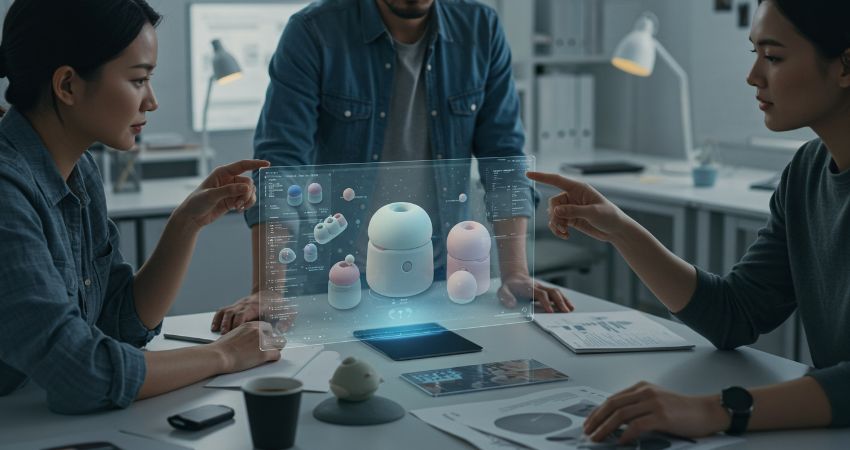

Immersive collaboration is having a moment. Between spatial computing headlines, “VR meetings enterprise” demos, and a growing list of XR workplace tools, it’s easy to assume the endgame is obvious: the meeting gets replaced.
That’s not what’s happening.
The more useful question for CIOs and CTOs isn’t “Will XR replace meetings?” It’s: Where does immersive collaboration remove friction that video meetings can’t? Because in most organisations, the meeting isn’t a product problem, it’s a coordination problem. And most coordination still works best when it’s low-friction, reliable, and accessible for everyone.
This article breaks down what immersive collaboration technology actually is, how XR collaboration compares to video meetings, where it delivers measurable productivity gains, and what infrastructure you need before it becomes a serious enterprise video conferencing alternative.
What Is Immersive Collaboration Technology?
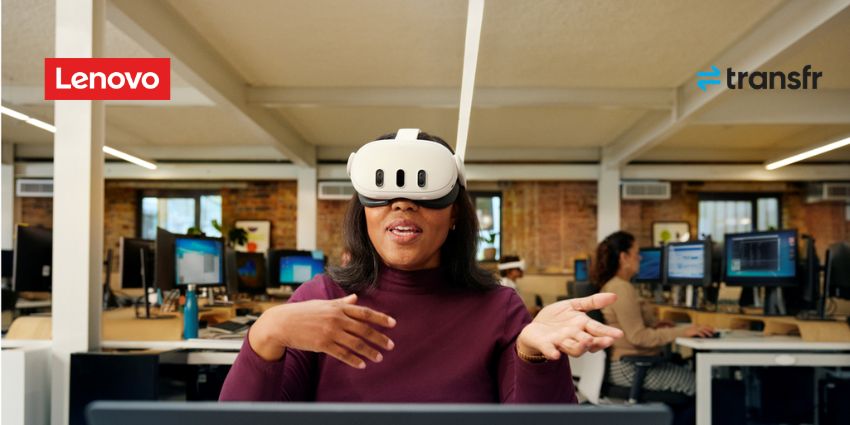
Immersive collaboration is the use of virtual, augmented, or mixed reality to help people work together inside a shared digital space. That can mean meeting in a 3D environment. More importantly, it can mean working together on 3D information such as models, layouts, scenarios, and simulations where a flat screen creates misunderstandings.
In practice, immersive collaboration sits on a spectrum:
At one end, you have meeting-like experiences like avatars, spatial audio, shared rooms, and virtual whiteboards. These are the experiences that drive the ‘VR meetings enterprise’ narrative.
At the other end, you have workflow-like collaboration such as teams reviewing a digital twin, validating a design, rehearsing a process, or walking through a facility layout together. This is where XR workplace tools start behaving like serious workplace technology, because the goal isn’t novelty. It’s fewer errors, faster alignment, and better decisions.
If you’re trying to make an enterprise decision, treat immersive collaboration as a work-type tool, not a meeting replacement. The winning deployments focus on high-value moments where shared spatial context changes outcomes.
How Does XR Collaboration Compare to Video Meetings?
Video conferencing is dominant for a reason: it’s low effort. People already know how to use it, networks already support it, and it works across devices. For most meetings, XR adds friction without adding enough value.
Immersive collaboration earns its keep when video calls hit a ceiling. That usually happens in three situations:
1) When the work is spatial. If you’re discussing a 3D space, a physical workflow, or a complex object, video calls flatten the problem. Teams end up talking around the thing instead of working with it.
2) When the cost of misalignment is high. If a wrong decision leads to rework, safety exposure, wasted materials, or delays, then ‘better shared understanding’ becomes a measurable outcome.
3) When attention and engagement matter. Immersive environments can reduce side-channel multitasking and make collaboration feel more present. That doesn’t matter for every meeting. It matters for the meetings that decide expensive things.
So the honest takeaway is simple: immersive collaboration won’t replace meetings. It will specialise them, turning some meetings into shared workspaces where teams manipulate the same object, scenario, or environment together.
What Productivity Benefits Can Immersive Workspaces Deliver?
Productivity is where immersive collaboration gets real and where buyer expectations should tighten. You’re not buying a vibe. You’re buying a faster path to correct decisions and consistent execution.
In the immersive workplace, the strongest productivity benefits show up in:
Design and decision-making with shared 3D context. This is where spatial computing collaboration shines: design reviews, planning sessions, layout validation, and complex technical walkthroughs. The measurable benefit isn’t more immersive. It’s fewer misunderstandings and fewer iterations.
Hands-on alignment for distributed teams. Distributed work is about shared context. Immersive collaboration can compress alignment time when teams need to see the same thing and act on it.
Training and rehearsal in collaborative scenarios. While this article isn’t a training deep-dive, it’s worth saying: group rehearsal and scenario-based learning can be a high-leverage collaboration use case, especially when knowledge transfer is the bottleneck.
None of these benefits require replacing video meetings. They require picking scenarios where immersive environments change the quality of decisions.
Where Do Enterprise Buyers Get This Wrong?
The most common mistake is deploying immersive collaboration as a new meeting room. That’s backwards. If you start there, adoption usually stalls because you’re competing with the easiest tool in the enterprise: a link to a video call.
A better approach is to treat immersive collaboration as an alternative to misalignment. Where does your organisation repeatedly misunderstand the same thing? Where do approvals take too long because stakeholders can’t visualise impact? Where do teams rely on screenshots, PDFs, and long explanations because the work doesn’t fit in 2D?
That’s where immersive collaboration platforms win, because they turn ‘explaining’ into ‘showing,’ and ‘showing’ into ‘working together.’
What Infrastructure Supports XR Collaboration?
Even in consideration stage, infrastructure matters because XR collaboration fails fast when the basics aren’t in place. Immersive workplace adoption strategy lives or dies on deployment readiness, not demo quality.
At minimum, assume you will need:
Enterprise identity and access. If users can’t authenticate cleanly or access control is unclear, XR becomes a shadow IT risk.
Device management. XR headsets and spatial computing devices are endpoints. If you can’t provision, update, and secure them like endpoints, you can’t scale beyond a small group.
Network readiness. Immersive collaboration is sensitive to jitter, packet loss, and inconsistent performance. You don’t need perfection everywhere. You do need predictable performance in the environments where you expect teams to use it.
Content and workflow ownership. Immersive collaboration becomes valuable when it’s tied to real work artifacts (models, spaces, workflows). That means someone must own how those assets are maintained, updated, and governed over time.
If you don’t have these foundations, immersive collaboration turns into a special event tool. That’s fine for experimentation. It’s not a path to production.
How Do XR Platforms Integrate with UC Systems?
This is where UC Today’s angle matters: immersive collaboration only becomes an enterprise video conferencing alternative when it connects to how work already happens – calendar invites, identity, communication flows, and escalation paths.
Microsoft is leaning directly into this integration direction with immersive experiences inside Teams. On the product side, the messaging is clear: the goal is making immersive spaces usable without turning every rollout into a custom dev project.
“Design 3D spaces that work for you and your team… no coding or technical expertise needed.”
On the spatial computing collaboration side, Apple’s positioning is also instructive. It’s not selling VR meetings. It’s selling a new interface layer for apps, content, and workspaces. Even if most enterprises remain in pilot mode today, the hardware direction is influencing buyer expectations for multi-app, high-fidelity immersive work.
For example, Apple positions Vision Pro around ultra-high display fidelity, listing 23 million pixels as a headline spec. This is useful context for why spatial interfaces can feel meaningfully different from prior headsets.
Finally, if your immersive collaboration use case involves digital twins, simulation, or complex spatial assets, the UC system you’re integrating with may not be a meeting platform first but it may be your 3D pipeline. This is where NVIDIA’s Omniverse positioning is a useful reference point for enterprises treating collaboration as shared 3D workflow, not shared video.
“The NVIDIA Omniverse platform, powered by OpenUSD, provides developers a way to unify 3D assets from disparate sources…”
The practical takeaway: integration isn’t optional. Immersive collaboration that lives outside your UC and workflow stack will stay niche. Immersive collaboration that plugs into identity, scheduling, content systems, and governance has a chance to scale.
When Should Enterprises Adopt Immersive Collaboration Tools?
If you’re in the consideration stage, the decision isn’t ‘adopt or ignore.’ It’s choosing where to adopt and where not to waste time.
Adopt immersive collaboration when:
There’s a specific work object. A model, environment, workflow, or scenario that teams repeatedly struggle to align on in 2D.
The cost of being wrong is high. Rework, delays, safety exposure, or expensive downstream impacts.
The collaboration is cross-functional. When different teams interpret the same information differently, shared spatial context can reduce friction fast.
Hold off when:
The meeting is routine. Status meetings rarely justify the overhead.
The organisation can’t support endpoints. If XR device management isn’t realistic, adoption will cap early.
You’re chasing ‘wow.’ If the primary goal is to show innovation, you’ll struggle to justify budgets later. If the goal is to reduce misalignment, the story holds up.
The Bottom Line for CIOs and CTOs
Immersive collaboration platforms are not here to delete meetings. They’re here to upgrade the small percentage of meetings where shared spatial understanding changes outcomes.
The winning pattern isn’t “move meetings into VR.” It’s “move complex work out of 2D.” When you do that selectively, XR workplace tools become a real part of the immersive workplace roadmap, not a side experiment.
FAQs
What is an immersive collaboration platform?
An immersive collaboration platform lets teams work together inside a virtual or spatial environment. In enterprise settings, it matters most when teams need shared 3D context such as design reviews, planning, simulation, or digital twin collaboration.
Are VR meetings enterprise-ready today?
They can be, but only for the right scenarios. Routine meetings still favour video calls because they’re lower friction. VR meetings make more sense when the work is spatial, high-stakes, or requires stronger shared context than 2D tools can provide.
What are the best enterprise video conferencing alternatives?
For most organisations, the alternative isn’t replacing video calls, it’s adding immersive options for specific workflows. The best approach is to keep video meetings for routine coordination and use immersive tools for complex 3D collaboration.
What infrastructure supports XR collaboration?
You’ll need endpoint security and device management, identity and access controls, stable network performance, and ownership of content/work artifacts. Without those, immersive workplace adoption tends to stall after early demos.
How do XR platforms integrate with UC systems?
The strongest deployments integrate XR with identity, scheduling, and collaboration workflows; so immersive sessions behave like governed workplace tools, not standalone apps. That includes SSO, policy controls, and a clear escalation path back into everyday UC channels.