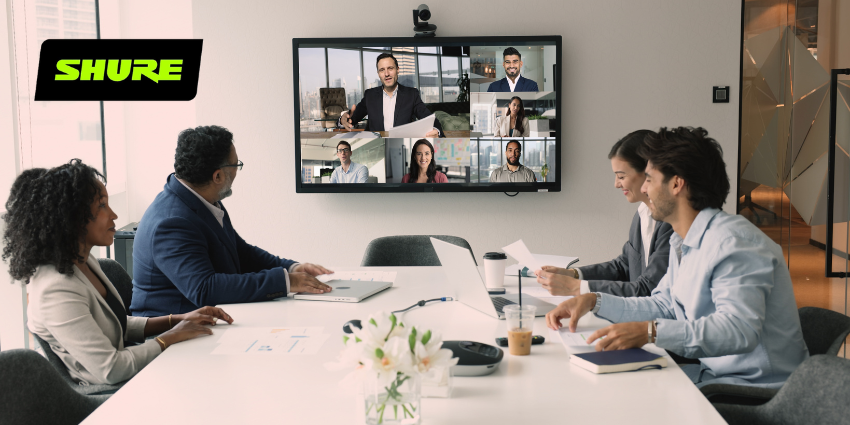

Walk into any modern conference room and the technology is watching before you’ve taken your seat.
A wide-angle camera tracks whoever is speaking, a ceiling microphone array captures every word, a room sensor logs how many people are present, and somewhere in the background a cloud-connected AI agent is already drafting a summary it will deliver to your inbox before the conversation has finished.
The room, in other words, is not passive infrastructure. It is an active, networked system collecting data about everything that happens inside it.
None of this is alarming in isolation. But look at it through the lens of an enterprise security team and the picture shifts considerably.
A single mid-sized organisation may have hundreds of these rooms, each one a cluster of internet-connected devices running third-party firmware, managed via vendor cloud portals, integrated with calendar systems, identity platforms, and storage services.
The smart meeting room is not a room. It is an endpoint estate – and in most organisations, it is governed like furniture.
“Connected meeting rooms are no longer just AV spaces – they are part of the network,” says Jennifer Williams, Managing Director at Secarma.
“Cameras, smart displays, room panels, wireless sharing devices, and conferencing systems can all become entry points if they are unmanaged, poorly configured, or left on default settings.”
The problem, as Williams and others point out, is that these devices routinely fall between organisational teams – IT, facilities, and AV – with no single function holding clear ownership.
By the time anyone with a security mandate gets involved, the devices are already deployed, already connected, and already generating data.
The Procurement Gap: Where Risk Enters the Building
Before any technical vulnerability can be exploited, there is a more fundamental problem: most smart meeting room devices are never evaluated for security in the first place.
Richard Huang, CEO and Founder of Reframe Space – which builds compact office pods – has a direct view of how this plays out.
“Smart meeting room devices are usually bought through facilities or AV budgets, not IT,” Huang says.
“Often, by the time IT learns that a room has a cloud-connected camera or an AI summary tool on a room PC, it’s already on the network and collecting data. These devices aren’t chosen for their security. They’re picked because they look impressive in a demo.”
This procurement gap is where AI risk, in particular, enters the enterprise.
Julian Gage, Founder of Engage Compliance argues that every time a team buys a tool with AI capabilities, they are onboarding a model whose training data, update cycle, and failure modes they do not control – and most procurement processes are not designed to catch this.
“The biggest risk is the gap between what a vendor claims and what you can verify,” Gage says. “The marketing might say they use responsible AI, but the contract might not provide anything enforceable: no notice when the model changes, no clarity on who is liable when it gets something wrong, no right to audit.”
Buyers sign anyway, he notes, because the business wants the tool now – or because a business owner has incorrectly assured IT that the AI component doesn’t touch confidential data. “That isn’t often true,” Gage adds.
The fix, Gage argues, is to treat procurement as a compliance control rather than a purchasing function. Before signing, organisations should require vendors to disclose what data the system uses, where it can fail, and how its decisions are logged.
AI due diligence should be standard in any procurement process that takes itself seriously – not an afterthought.
Looking ahead, regulations like the EU AI Act will make some of this mandatory, and those obligations will flow down into the supply chain, reaching the meeting room hardware and software ecosystem directly.
The Expanding Attack Surface
Once devices are on the network – however they arrived there – the security challenge becomes managing an attack surface that most endpoint security programmes were not designed to cover.
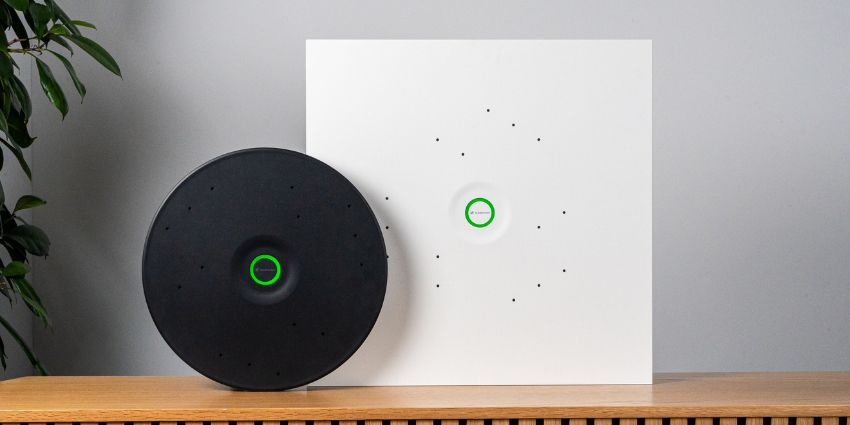
A typical enterprise meeting room deployment includes a room PC or compute bar, a PTZ or AI-tracking camera, a ceiling or bar microphone array, a touch-panel controller, an occupancy sensor, a wireless presentation system, and a cloud management agent connecting all of the above to a vendor platform. Each component is a distinct vector.
Wireless presentation systems – particularly legacy units relying on Miracast or proprietary protocols – have a documented history of vulnerability.
Many are deployed and then forgotten, rarely appearing in standard patching cycles.
The room PC or compute bar sits at the other end of the risk spectrum in terms of capability, but is often treated with similar neglect.
Devices running Microsoft Teams Rooms on Windows are full Windows endpoints – they can be domain-joined, managed via Intune, and subjected to the same endpoint security policies as a laptop.
Many organisations, however, still treat them as appliances, skipping EDR deployment, conditional access policies, and regular patching.
Christopher Meyer, Senior Director of Product Security and Conferencing at Shure, frames the broader problem in terms of scale. “AV hardware are networked endpoints that sit inside the enterprise with access to the same infrastructure as laptops and servers. When they go unmanaged, they quietly expand the attack surface.
“The risk isn’t just one device. It’s dozens or hundreds of rooms, each with multiple connected components, often with inconsistent configurations.”
Meyer is direct about the implications: “Treating room systems as governed endpoints isn’t best practice anymore. It’s basic security hygiene.”
Williams at Secarma identifies the specific controls that matter most in practice. “Businesses should keep an inventory of every connected room device, segment them away from core systems, change default credentials, and monitor for unusual behaviour.”
Network segmentation is widely regarded by practitioners as the single highest-impact control: placing room devices on a dedicated VLAN with monitored, restricted egress limits lateral movement and makes unusual outbound traffic a high-fidelity alert signal.
Firmware, Patching, and the Lifecycle Problem
Of all the technical risks in the smart meeting room, firmware lifecycle management is the most consistently overlooked – and both Huang and Williams make the same observation independently: a device can be working perfectly while simultaneously being a security liability.
“Meeting room devices often remain in use for three, five, or even seven years,” Huang notes.
“Vendors who sold cloud-connected hardware in 2019 might no longer be maintaining that firmware. Unlike software vulnerabilities, these aren’t closely tracked – but the risk is just as real. A networked microphone running unpatched firmware in a boardroom is an attack surface that nobody put on a risk register.”
Williams puts it plainly: “A meeting room device can still work perfectly while being a security problem. If the vendor stops issuing firmware updates, that device becomes a quiet weakness in the network.”
Meyer points to patching discipline as the structural fix. “IT needs to bring AV and collaboration hardware into the same lifecycle management process as every other endpoint. That means scheduled updates, visibility into firmware status, and clear policies for when devices hit end of support. If a vendor stops issuing updates, that device becomes a liability overnight. You can’t secure what the vendor no longer maintains.”
The cloud management dependency deserves its own scrutiny. When any vendor operates the management plane for a meeting room estate, a compromise of that vendor’s platform is, functionally, a compromise of those rooms.
The SolarWinds attack in 2020 demonstrated the catastrophic potential of supply chain compromise through trusted management software. Smart room management platforms sit in precisely the same trust position – a fact that remains underappreciated in most enterprise risk registers.
Williams’s operational prescription is straightforward: “Track the model, firmware version, support status, owner, and replacement date – because you cannot patch or retire equipment you do not know you have.”
Meeting Data: The Expanding Record
The data generated by smart meeting rooms has grown substantially in scope and sensitivity.
Where a meeting once left behind a whiteboard photograph and an action list, today’s intelligent room produces recordings, AI-generated transcripts, speaker attribution data, whiteboard captures, meeting summaries, room analytics, and occupancy records – including who attended, for how long, and how actively they participated.
Meyer identifies access control as the most pressing concern. “The issue isn’t just where the data lives. It’s how easily it can spread. If organisations don’t apply the same access controls, encryption standards, and retention policies they use for other enterprise data, they create exposure without realising it.”
His prescription is a principle of data minimisation: “Teams also need to be intentional about what they capture in the first place. If a feature isn’t required, it shouldn’t be on. Data you don’t collect is data you don’t have to protect.”
The integration between meeting room systems and productivity platforms amplifies the exposure. Microsoft Teams Rooms can deposit recordings directly into SharePoint; Zoom Rooms can write to cloud storage.
If the permissions on those storage locations are overly broad – a common outcome in rapidly deployed collaboration environments – sensitive meeting content becomes accessible to a far wider audience than intended.
Room analytics data carries its own governance obligations. Occupancy sensors, badge readers, and people-counting cameras generate detailed records of movement and attendance.
In regulated environments this can intersect with employment law, works council agreements, or data protection obligations around employee monitoring.
Organisations should establish clear policies on what analytics data is collected, how long it is retained, and who can access it – before the sensors are deployed, not after.
Physical Security and the Shared Space Problem
The meeting room is, almost by definition, a shared space. Visitors attend meetings alongside corporate infrastructure, contractors configure devices with admin access, and facilities staff have physical access outside business hours – a threat model that few endpoint security frameworks address directly.
Admin interface exposure is among the most common and exploitable vulnerabilities. Many meeting room devices expose web-based administration interfaces on the local network, and default credentials remain a well-documented problem.
An attacker with local network access and default admin credentials can, in the worst case, activate microphones and cameras, exfiltrate configuration data, or pivot to adjacent systems.
Physical tampering is a risk in higher-security environments. Brief physical access to a room could allow attachment of a rogue device – a small compute unit behind a display, a USB device in a room PC port – that establishes persistent access or captures network traffic.
USB port locking, device enclosures, and tamper-evident seals are low-cost countermeasures that remain widely underused.
The always-on nature of smart rooms introduces a further concern. Some room systems maintain a low-power listening state to detect wake words or measure ambient conditions, and the boundary between a room that is actively in a meeting and one that is merely occupied and passively listening is not always clearly defined – nor clearly communicated to occupants.
Organisations with strict confidentiality requirements may need to implement physical muting controls, indicator lights, or scheduled listening windows to manage this risk explicitly.
Compliance in Regulated Sectors
For financial services, healthcare, legal, and government organisations, the smart meeting room is not merely a security challenge – it is a compliance obligation.
Most relevant regulations were written before smart room technology existed in its current form, but their requirements apply nonetheless.
In financial services, MiFID II’s communications surveillance requirements – originally designed for telephony and electronic messaging – are being interpreted by some regulators to include video conferencing content and the transcripts generated by smart room AI tools.
Firms that have deployed meeting room AI summarisation without mapping that data flow to their communications surveillance and recordkeeping obligations may be carrying a compliance gap they haven’t yet identified.
DORA – the EU’s Digital Operational Resilience Act – introduces ICT risk management requirements that explicitly include collaboration tools and systems.
For financial entities operating in the EU, that means meeting room hardware, software, and cloud management platforms must be included in third-party ICT risk assessments, contractual resilience clauses, and incident response planning.
In healthcare, a room used for clinical case discussions where AI transcription is active is generating a record of protected health information in a cloud-connected system. Whether the relevant vendor has executed a Business Associate Agreement – and whether their data processing practices satisfy BAA obligations – is a question many healthcare IT teams have not yet asked.
Meyer draws the compliance argument to a practical conclusion: “In regulated industries, unmanaged room technology creates blind spots that auditors will eventually find. Patch compliance, access control, audit logging, and documented data handling practices all need to extend to room systems. The organisations that stay ahead are the ones that standardise their room deployments and manage them the same way they manage the rest of their IT estate.”
Building the Governance Framework
Every risk in this piece traces back to the same root: meeting room technology deployed at speed, by teams without clear ownership, without security baselines, and without the lifecycle discipline applied to other enterprise endpoint categories.
The remedy is straightforward in principle, if not always in execution.
Ownership must be established first. Designating a clear owner – typically IT, with AV teams providing operational support – is the prerequisite for everything else.
From there, the work is methodical. Every room device needs to be in the CMDB; if it isn’t in the inventory, it cannot be governed. Smart room purchases, particularly those with AI capabilities, should pass through IT security review before contracts are signed, with vendors required to disclose data handling practices, model update policies, and audit rights rather than marketing materials being taken at face value.
Room devices belong on a dedicated VLAN with monitored, restricted egress – the single control that does the most to limit lateral movement if something is compromised.
Meeting data needs to be treated like any other sensitive business record, with defined ownership, retention periods, and deletion processes applied consistently across recordings, transcripts, and summaries alike.
Beyond that, firmware versions should appear in vulnerability scanner results and receive the same response SLAs as any other critical endpoint.
Default credentials should be changed across every device at commissioning, without exception. Any device that no longer receives security updates from its manufacturer should be flagged for replacement rather than kept in service because it still functions. And room occupants should know what is being recorded, what AI features are active, and how to request deletion – not as a legal footnote, but as a practical matter of trust.
“A room with an always-on microphone, an AI agent, and a cloud management connection is not a safe space for sensitive conversations unless you have deliberately made it one,” Williams says. “That requires policy, architecture, and continuous oversight.”
The smart meeting room has become one of the most important and most overlooked surfaces in enterprise security. It is present in every building, used by every employee, and in most organisations governed by no one. That is not a technology problem.
It is a leadership problem – and it is one that CISOs, IT directors, and UC leaders are increasingly both equipped and expected to solve.