If you’re looking for the best VR headset for PC, you’re in luck. The virtual reality landscape has exploded in recent years, with innovative new solutions from leading brands like Meta, Pico, and Varjo and new systems from forward-thinking startups.
While many modern headsets promise a wire-free (standalone) experience, PC-tethered headsets still represent a valuable part of the market. The best VR headset for PCs can often offer faster performance, lower latency, and access to a broader range of high-quality applications.
The benefits don’t just extend to consumers either. PC-tethered headsets allow business leaders and their employees to access vital tools for product development, innovation, and collaboration. Based on the numerous VR headsets we’ve tested over the years, we’ve created a list of some of the top high-performance VR headsets you can link to your PC.
The Best VR Headset for PC: Understanding Tethered Headsets
Today’s VR headsets range from VR/AR headsets to solutions with mixed reality capabilities, haptic feedback controllers, and spatial computing systems.
However, VR headsets generally fall into two categories: wireless headsets, standalone headsets or PCVR, tethered headsets. Wireless headsets have received considerable attention in recent years due to their flexibility. Without being “tethered” to a PC, users have more freedom to move around naturally and immerse themselves in a virtual experience.
However, the best VR headsets for PCs also have benefits. These tools use your PC’s GPU to render images and experiences. If you have a high-quality PC, you can access smoother visuals and better rendering than you’d get from many standalone headsets.
Another advantage of choosing the best VR headset for a PC is you can access various applications without being restricted by a vendor’s library. This could mean you can access crucial business tools, from CAD software to Microsoft Teams’ Immersive Spaces. Any app that’s GPU intensive will generally run better on a tethered headset than a wireless solution.
The downside with these VR headsets is that as well as being “tethered” to another device, you’ll also need a high-quality computer system and a slightly higher budget. But they could be worthwhile considering for businesses investing in the metaverse.
What to Look for in the Best VR Headset for PC
To create this list of the best VR headsets for PC options, we’ve experimented with various devices from different vendors. While there’s no one-size-fits-all solution out there, we do recommend considering a few things when making your choice:
- PC Specs: If you’re buying a VR headset that relies on a PC, ensure you have a robust system. Most headset vendors will list the essential specs you need on their websites. However, it’s a good idea to “overshoot” these minimum requirements whenever possible.
- Visual quality: When it comes to visual specs, bigger is better for VR headsets, The larger the refresh rate, field of view, total resolution, and pixel density (PPI), the better the virtual experience will be.
- Compatibility: Check that your VR headset is compatible with the apps you want to use and any external accessories. Think about sensors and trackers, VR gloves for haptic feedback, and additional controllers.
- Comfort: PC VR headsets can be slightly more lightweight than their competitors, but they come with other comfort issues (like a connected wire). Ensure your headset is comfortable enough to wear for long periods without experiencing VR sickness.
- Budget: The better your PC VR headset specs, the more you can expect to pay. Consider carefully how much you can afford to spend on your technology when comparing vendors. Remember to account for extra fees, like software costs, too.
The Best VR Headset for PC: 8 Options for 2024
The list below represents just a handful of the best VR headsets for PC options available today. We chose these options based on past reviews of the technology. However, as the market continues to expand, it’s worth keeping an eye on the emerging solutions.
1. Meta Quest 3 – Best Headset for PC and Wireless
We know what you’re thinking. One of the biggest selling points of the Meta Quest 3 is that you can use the system as a “wireless” headset. However, there’s also the option to connect your headset to a PC via a USB-C cable or a Wi-Fi connection (using Airlink),
The Meta Quest 3 builds on the incredible success of the Quest 2, introducing a host of new improvements. You get a fantastic 2064×2208 resolution per eye via pancake lenses, an astonishing range of tracking cameras for spatial control, and state-of-the-art controllers.
Plus, this headset includes full-color mixed-reality passthrough capabilities. With its powerful Qualcomm Snapdragon XR2 Gen 2 processor, immersive spatial sound capabilities, and relatively affordable price tag, the Meta Quest 3 is an excellent option for virtually any VR user.
Pros:
- Full-color passthrough for mixed reality
- High-resolution visual quality
- Powerful processor
- Comfortable and lightweight design
- Upgraded ergonomic controllers
Cons:
- Relatively short battery life
- Lacking eye-tracking technology
2. Valve Index VR Kit – Best Beginner-Friendly PC Headset
Though a little older than some of the best VR headset for PC options, Valve’s Index VR Kit still delivers excellent results. It boasts powerful 1440×1600 resolution, 120Hz refresh rates, and a fantastic 200-degree field of view. You even get spatial audio capabilities.
The kit comincludese headset, base stations, and controllers youneeded get started in VR. The controllers, in particular, are some of the most impressive around. They can track finger movements with exceptional precision thanks to 87 sensors in each device. Plus, the Valve Index headset gives you comprehensive access to Steam’s library of applications.
Though a little more expensive than options like the Meta Quest 3, this device offers users a comfortable, robust, and powerful experience. It’s also one of the easiest ways to get started with PC VR.
Pros:
- Exceptional finger-tracking controllers
- Fantastic refresh rate for smooth motion
- Access to plenty of VR apps
- Spatial audio experience with built-in speakers
- Easy to use for beginners
Cons:
- Slightly expensive pricing
- Somewhat chunky design
3. HTC VIVE Pro 2 – Best refresh rates
Building on the success of the original HTC VIVE Pro, the HTC VIVE Pro 2 combines comfort and performance in a relatively affordable package. As one of the best VR headsets for PC users, the system promises sharp, precise, and immersive visuals, with 2,448×2448 pixels per eye. It also includes high-quality 3D spatial sound with built-in speakers.
Intended for consumers and business users alike, the Pro 2 is a next-level headset with pinpoint precision motion tracking and a relatively comfortable design. You even get a massive 120-degree field of view and a refresh rate of up to 120Hz.
If you want the full experience, you will need to consider investing in a few accessories, however, such as the VIVE Trackers, facial tracker tools, and additional controllers. You can also create a “wireless” experience with the VIVE Wireless PC adapter.
Pros:
- Exceptional visual quality
- Ultra-smooth motion tracking
- Fast refresh rates for minimal latency
- Excellent spatial sound
- Specialist solutions for business users
Cons:
- Base stations and controllers cost extra
- No passthrough capabilities
4. HTC VIVE Focus 3 – Best VR Headset for PC Business users
If you’re looking for the best VR headset for PC specifically designed for business users, HTC VIVE offers the excellent Focus 3. The intuitive headset features all of the main features of the Pro 2, such as exceptional tracking capabilities, 2448×2448 per eye resolution, and an up to 120-degree FOV.
However, there are some bonuses included too. For instance, you get an active cooling mechanism to minimize overheating and discomfort, a swappable battery for longer use, and a set of phenomenal ergonomic controllers. The system supports PC rendering with VIVE business streaming, immersive spatial sound, and precision hand gesture tracking.
Since it’s designed for business users, the Focus 3 makes it easy to pass your headset around the office, with a “quick release” design for faceplates and cushions. It’s also one of the more comfortable headsets we’ve tried, with balanced ergonomics.
Pros:
- Excellent ergonomic design
- Active cooling for greater comfort
- Fantastic precision hand and finger tracking
- Excellent visual quality
- VIVE Business streaming support
Cons:
- Slightly expensive pricing
- Not suitable for consumers
5. HP Reverb G2 – Best low-cost VR headset
If you want to invest in the best VR headset for PC but don’t want to spend a fortune, the HP Reverb G2 could be a great choice. This affordable headset offers a fantastic 2160×2160 resolution per eye to minimize the risk of “screen door” effects. It also promises a massive 90 Hz refresh rate and a 114-degree field of view.
This was one of the first Windows mixed reality headsets to include four sensors, giving exceptional accuracy when tracking movements, particularly in fast-paced apps. Additionally, despite its size, the headset is extremely comfortable to wear, thanks to extra cushioning around the strap and eyepiece.
Although the motion controllers are a little clunky in places, you can also choose to upgrade your headset by linking them to Valve’s finger-tracking controllers instead. Overall, for a price less than $700, this is one of the best entry-level options for businesses.
Pros:
- Excellent visual quality and refresh rate
- Powerful tracking capabilities
- Excellent comfort with extra cushioning
- Easy to use for beginners
- Extensibility options
Cons:
- Clunky included controllers
- Not a lot of accessory options
6. Varjo XR-4 – Best XR PC Headset
For users planning on expanding beyond virtual reality into the world of mixed reality, the Varjo XR-4 series is an incredible option. This industry-grade headset is perfect for business users. 25% of Fortune 100 companies are already using Varjo devices.
The Varjo XR-4 series follows the immensely successful XR-3 collection from the same brand, offering upgrades to graphics, tracking technology, and integrations with the NVIDIA Omniverse. There are also three options, including a Focal option with boosted mixed reality capabilities and a Secure edition for governments and business users.
This headset has impressive features, from 3840×3744 dual mini LED displays to ambient light sensors, spatial audio, and intelligent inside-out tracking. You also get an extremely comfortable fit with a lightweight ergonomic design, perfect for long-term use.
Pros:
- Mixed reality capabilities included
- Incredible visual quality
- Integrated light sensors and tracking tech
- Powerful spatial audio
- Zero-gravity comfort fit
Cons:
- Expensive pricing for non-enterprise users
- Not the most ergonomic controllers
7. Pimax Crstal – Best VR Headset for PC Visuals
One of the latest creations from the Pimax team, the “Crystal” headset is one of the best VR headset for PC options on the market, if you’re looking for phenomenal visuals. The Pimax Crystal includes 2880×2880 pixels per eye resolution, with local dimming for true-to-life colors. It also has adjustable refresh rates (up to 120hz) and FOV (up to 140-degrees).
With a Snapdragon XR2 processor and customized PCVR engine, the performance is exceptional, no matter which application you’re using. Plus, this device has inside-out tracking, head and hand controller tracking cameras, and eye tracking cameras for spatial capabilities. There are even fabulous headphones included for communication purposes.
Though the Pimax Crystal is a little heavier than some alternatives, it benefits from working as a PC headset or standalone solution, depending on your preferences. It also includes hot-swappable batteries for long-term use.
Pros:
- Fantastic visual fidelity and FOV
- Excellent headphones for in-depth audio
- Easy-to-use and comfortable controllers
- PC or non-tethered options
- Incredible tracking capabilities
Cons:
- Slightly heavier than some alternatives
- Expensive pricing
8. Apple Vision Pro – Best Spatial Computing Headset
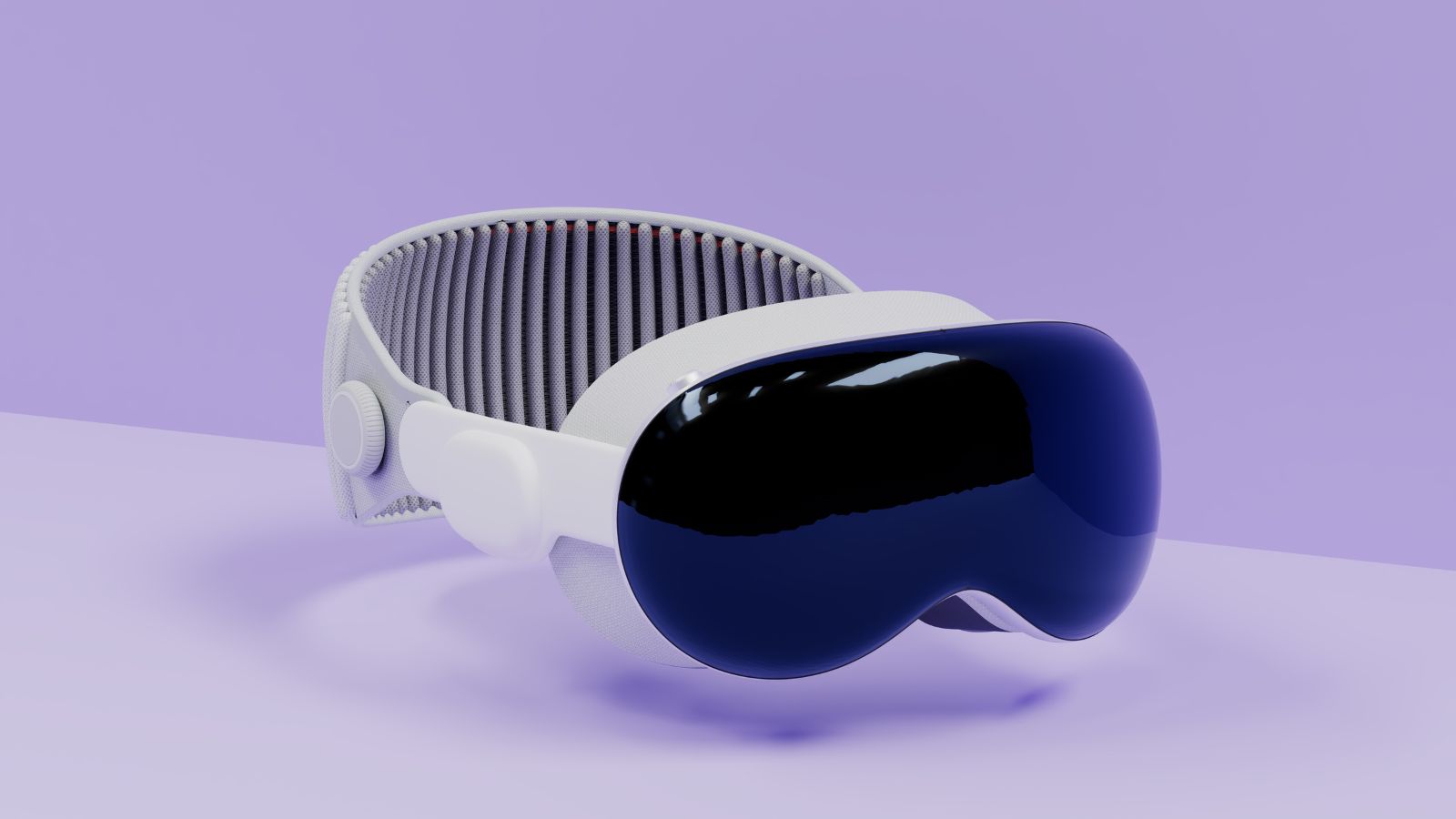
Finally, if you want the best VR headset for PC users that supports mixed reality and spatial computing, Apple’s Vision Pro could be the ideal choice. This powerful headset is the result of years of experimentation by Apple and features tons of cutting-edge technology.
The twin 4K Micro OLED displays promise crystal-clear visual experiences, while a new R1 chip in the headset helps to enhance display performance and sensor input. This device also has 12 cameras, six microphones, and five sensors for tracking movements and voice. It’s one of the most intuitive headsets on the market and one of the most expensive around.
However, despite its hefty price tag, the Apple Vision Pro is an excellent option for business owners. Used wirelessly or connected to your PC (or MAC), the device can already support Zoom, Microsoft, and Webex apps.
Pros:
- Amazing spatial computing capabilities
- Fantastic visual fidelity with low latency
- Excellent ease of use for beginners
- Integrations with a range of business apps
- Mixed reality options
Cons:
- Expensive pricing
- Slightly heavier headset
The Best VR Headset for PC: Exploring Your Options
When choosing the best VR headset for PC in 2024, today’s business users have plenty of options to explore. From fully tethered devices to solutions that support both wired and wireless functionality, the opportunities are endless.
The right solution for you will ultimately depend on your use cases for extended reality, your budget, and your specs, comfort, and design priorities. Check out our other reviews on XRToday for more insights into leading VR headsets for any need.
FAQ
What VR works with PCs?
Various VR headsets include PC compatibility, from the Meta Quest 3 to the Apple Vision Pro, and countless solutions from Varjo, Pico, and HTC VIVE. If you’re unsure whether your headset supports computer connectivity, check the specs on the vendor’s website.
Is my PC ok for VR?
The better your PC’s specs, the more likely it will accommodate VR headset requirements. You can usually find the “recommended specs” for each system listed on the company’s website. Alternatively, you can use tools like SteamVR’s performance test for more insights.
Is it better to play VR with PC?
A PC VR headset can offer better graphics quality and lower latency than a standalone headset. These devices can draw from the processor and GPU in your PC, reducing the pressure on the headset itself. Plus, they can offer access to a wider range of applications in some cases.