
Microsoft Copilot Labs, announced by the tech giant on October 1, 2024, represents a new step in its plan to enhance its Copilot portfolio through collaborative input and community experimentation.
Copilot has come a long way since its introduction in November 2023. The generative AI assistant, developed in collaboration with OpenAI, has quickly become a fundamental part of Microsoft’s product ecosystem.
Copilot is available everywhere (provided you have the right subscription plan). It can summarize meetings and enhance productivity in Microsoft Teams, transform content creation in Microsoft 365 apps, and even improve web search experiences.
However, Microsoft believes the path to creating the perfect AI Copilot is only beginning. After all, we’re still in the early stages of generative AI adoption, and many companies are still just scratching the surface of what this technology could do. Copilot Labs aims to accelerate the experimentation process, empowering a select group of users to trial new features, provide feedback, and guide the future of new Copilot solutions.
Here’s everything you need to know about Copilot Labs.
What is Copilot Labs from Microsoft?
Microsoft’s “Copilot Labs”, is a new experimental program, similar to Google Labs, which allows a select group of Copilot Pro subscribers to test initial generative AI features and tools before they’re released to the public. You can basically think of it as an “experimental playground” for AI fans.
Developers and engineers in Microsoft’s team create new features for Copilot, and share them with users through Labs, to collect feedback and insights. The creation of a “Labs” environment for collaborative feature development isn’t a new concept.
A lot of cutting-edge technology companies (particularly those working on AI tools) initially release features to smaller testing groups before they give them to everyone. This strategy offers companies like Microsoft a way to understand the challenges and issues with their new features, as well as the unique benefits they can offer, so they can fine-tune the Copilot experience.
The features available to “test” on Copilot Labs may power new tools and capabilities in Microsoft’s toolkit in the years ahead. Alternatively, some of these work-in-progress projects may never reach fruition. The idea is that Microsoft will be able to rely on the insights of its actual customers to determine where it should focus its attention.
The Initial Test Features for Copilot Labs
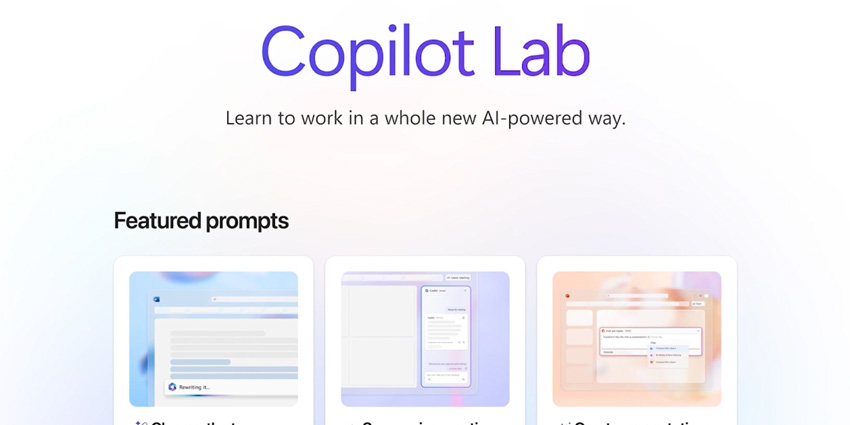
Copilot Labs, not to be confused with Copilot Lab – the educational toolkit that helps users learn how to use Copilot, what it can do, and how to master prompting – is still in its early stages. For now, Microsoft has only introduced two features that specific users can experiment with.
The first is the “Think Deeper” tool, which gives Copilot more freedom to reason through complex problems using state-of-the-art reasoning models. The second is “Copilot Vision”, which aims to bring multimodal (visual) AI capabilities to Copilot in tools like Microsoft Edge.
Think Deeper: Enabling Advanced Reasoning
The “Think Deeper” feature is Microsoft’s attempt to make Copilot into a more sophisticated AI assistant, capable of helping users with a wider range of problems or tasks. Select users accessing Copilot Labs, and Copilot Pro (one of Copilot’s premium subscription plans), will see a new button next to the text field for the prompts they send to Copilot in specific apps.
Clicking this button will ask Copilot to leverage the latest reasoning models to respond to questions with more depth and context. For instance, you could ask Copilot to “Think Deeper” to help you solve a difficult math problem with step-by-step instructions or formulas. You could also use it to help you plan a party for attendees with specific needs or preferences or plan the cost of home projects.
The feature is still in its early stages, but it allows Copilot to assess the individual elements of a problem more comprehensively and hopefully deliver better multi-step responses.
Currently, Think Deeper is the main “test feature” in Copilot Labs, available to limited users of Copilot Pro throughout the UK, US, Canada, New Zealand, and Australia. If you can’t access this feature yet – notably, you might still be able to use a tool with similar features by testing out the OpenAI o1-model in ChatGPT – although you’ll need a $20 per month ChatGPT Plus subscription.
Copilot Vision: Letting Copilot See What You See
According to Microsoft, one of the major issues with the “current” Copilot experience – at least for people using the AI assistant for tools like Microsoft Edge, is that it has limited insights into what you’re actually doing. You can type out prompts to give the bot the information it needs to answer questions, but there’s only so much that users can achieve with language alone.
That’s why Microsoft wants to give Copilot the ability to actually see what you’re seeing in real-time with Copilot Vision. With Copilot Vision in Edge, you can give your AI assistant “permission” to look at whatever you’re interacting with, like web pages, images, and content.
All you need to do is tap a button, and Copilot can assess what you’re looking at with multimodal AI capabilities and understand the content. Using this visual information, Copilot can answer questions about something on your screen, create a summary, translate task, and more.
At the same time, you can still talk to Copilot as you would anyway, using your voice and text prompts to continue the conversation. Copilot Vision doesn’t interact directly with the web – so it won’t complete browsing tasks for you. It’s really just there to give you more information about what you’re seeing, and help you browse more efficiently.
For instance, you could ask Copilot Vision for help picking inspiration for your new living room décor for Pinterest, while browsing through a selection of pins, and sharing information about your preferences. Using that prompt, it could suggest which products make sense based on your needs.
Maintaining Privacy and Security with Copilot Vision
Microsoft believes that this will help improve the search experience on Edge for users going forward, however the company is also aware of the potential security risks here. After all, not everyone will feel comfortable having an AI bot review everything they’re doing on the web.
That’s why the tech giant is taking a more gradual approach to introducing this feature. Not only is it only available to very few Copilot Pro subscribers today, but it’s only going to be accessible in the US to begin with. Plus, the company has said that the capability will always remain opt-in only.
In other words, you’ll have to explicitly give Copilot permission to see what you’re seeing on the web, and you can restrict its access whenever you like. Even in the preview version, Microsoft says none of the content captured in your conversation, whether it’s audio, images, or text, will be stored by Copilot or used for further training.
As soon as you close “Copilot Vision”, anything captured will be instantly discarded by the bot. Additionally, Microsoft has said its also “blocking” the service on paywall sites and sensitive content. You’ll only be able to use it initially on a pre-approved list of websites.
Over time, Microsoft does plan on adding more “pre-approved” sites to the list, but it wants to keep AI responsibility and safety firmly in mind. The company won’t be allowing Copilot Vision to extract information from sites with content hidden by paywalls either. If you ask it questions about “locked” content, it just won’t respond.
How to Access Microsoft Copilot Labs
Unfortunately, gaining access to Copilot Labs isn’t easy – at least for most people. First, you’ll need a Copilot Pro subscription (costing $20 per month). Fortunately, this subscription does give you a lot of other perks, aside from the potential to join a Copilot Labs beta. For instance, you can gain priority access to the top AI models at peak times, and use Copilot in more Microsoft apps.
However, Google Labs, a similar option available from Microsoft’s competitor, is completely free to use. So if you’re looking for a more affordable way to access experimental AI features, and you’re not committed to Microsoft tools, Google might have the better option.
Beyond that, actually paying for a Copilot Pro subscription doesn’t guarantee instant access to Labs. Microsoft says it’s only giving feature access to a select number of users in specific countries. Even if you have the right plan, you might be locked out of certain beta programs.
On the plus side, after features like Think Deeper and Copilot Vision pass the initial testing phase and start rolling out more generally, you should be able to access them faster as a Copilot Pro user. For instance, Think Deeper will be rolling out to more countries and users this year.
It will also be accessible in a variety of different languages, such as Arabic, Dutch, Finnish, Italian, Swedish, Japanese, and more.
Shaping the Future of Microsoft Copilot
Microsoft Copilot Labs is an exciting insight into the tech giant’s strategy for developing its future generative AI solutions. If you’re already a Copilot Pro user, and you want to be the first to put new features to the test and share feedback with Microsoft, you can learn more about the program here.
As Microsoft continues to experiment with new advanced AI models and generative AI capabilities, Labs users will have a unique opportunity to try these features before anyone else. Just keep in mind that Microsoft won’t be sharing new capabilities with everyone.
Additionally, even if you get a chance to test out features like Copilot Vision and Think Deeper, there’s no guarantee they’ll become a standard part of the Copilot experience going forward. Still, if you love experimenting with new intelligent tools, it’s worth taking a closer look at Copilot Labs.