The small meeting room has become one of the most important – and most overlooked – spaces in the modern workplace. High in demand, quick to book, perfect for a fast catch-up or a confidential call. But frequently under-equipped. And as AI meeting tools become embedded in collaboration workflows, that under-investment is starting to cost significantly more than it used to.
"People are left scrambling," says James Spencer, Video Solutions Director at Jabra. "They're taking calls in corridors, not focused for collaboration in any sense. If you need a confidential call or there's background distraction, that may not be the right environment at all."
Why Small Rooms Keep Failing
The failure mode in BYOD small rooms tends to follow a predictable pattern. Someone books the room, walks in, and immediately hits friction.
The technology isn't intuitive, or the connection process isn't clear – then IT gets called.
The first ten to fifteen minutes of the meeting are gone before the conversation has even started.
"Sometimes there can be 10 or 15 minutes actually trying to get onto the call – requiring IT support to be called physically into the room," Spencer explains. "And that takes up a lot of time just from moving between locations in the building."
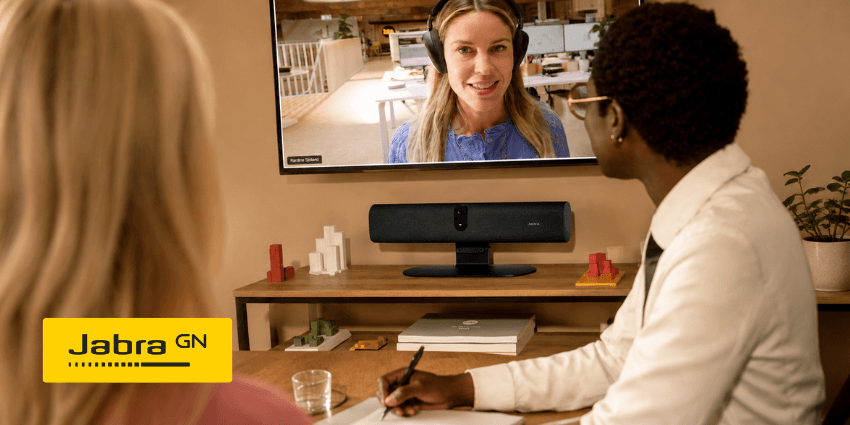
When the meeting does get underway, remote participants – joining from home or another location – may be looking at a static wide shot of a conference table where only a few people are visible. Others in the room are effectively off-camera. The conversation proceeds, but not everyone is genuinely present in it.
"We've all had those meetings where we're staring at a couple of people in the room, and others are left out of the picture," Spencer says.
"People end up feeling like a side act listening in, rather than equal participants."
For AI meeting tools – real-time transcription, meeting summaries, action capture – this is a compounding failure.
Poor audio pickup misses details and spoken words entirely. Partial camera framing loses the non-verbal context that gives a conversation its meaning.
The AI output reflects the gaps in the capture, not the actual meeting. The summary is incomplete. The action items are wrong.
Productivity and trust in the tooling erodes – even though the root cause was the room.
The IT Burden
From an IT perspective, small rooms generate a disproportionate volume of support tickets relative to their footprint.
The issues cluster around three areas: getting meetings started, managing device configuration, and maintaining visibility across a distributed device estate.
The commissioning challenge is particularly underappreciated. When deploying video bars across multiple sites, traditional workflows require each unit to be physically unpacked, connected, configured, and repacked before being sent to its destination. At scale, that process represents a real operational cost – and a common source of inconsistency when settings vary between rooms and sites.
Jabra has addressed this directly with the PanaCast U30.
The device's packaging is designed so that key components can be accessed and configured without removing the unit from the box – meaning a device can be set up and dispatched to another site without ever being fully unpacked.
"It saves a lot of time on an onerous task that is otherwise a real bugbear from the IT admin side," Spencer notes.
"People really like the fact that you can just plug and play, commission inside the box."
Jabra Plus provides the ongoing management layer, with the PanaCast U30 manageable over the network or directly via USB.
For security-conscious organisations, firmware updates can also be performed locally – and as an MDEP-based solution (Microsoft Device Ecosystem Platform), the PanaCast U30 delivers strengthened security and enhanced meeting experiences without adding operational complexity.